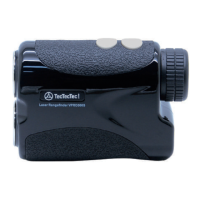
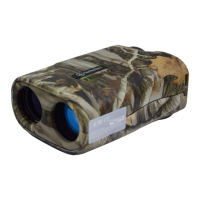
The TecTecTec! Golf Laser Rangefinder is a sophisticated device designed to enhance a golfer's game by providing accurate distance measurements and various modes to suit different course conditions and playing styles. This manual outlines how to set up, use, and maintain your rangefinder, along with exclusive tips to maximize your experience on the golf course.
Function Description
The primary function of the TecTecTec! Golf Laser Rangefinder is to measure distances to objects on a golf course, such as flags, hazards, and other terrain features. It utilizes laser technology to provide precise measurements, helping golfers select the correct club and strategize their shots more effectively. The rangefinder offers multiple modes, each tailored for specific scenarios, ensuring versatility and accuracy in various golfing situations.
Usage Features
The rangefinder is designed for ease of use, with a straightforward setup process and intuitive controls.
Getting Started:
- Battery Installation: To begin, remove the battery cover and insert a CR2 3V lithium battery. This powers the device for immediate use.
- Eyepiece Adjustment: Adjust the eyepiece until the view through the rangefinder is clear and focused. This ensures optimal visibility of targets.
- Mode Switching: The rangefinder features a "Mode Button" that allows you to cycle through different measurement modes. The typical sequence is Normal (Scan) → Flag Seeker → PinSlope (for slope models).
- Unit Conversion: To switch between yards and meters, press and hold the mode button for three seconds. This flexibility allows golfers to use their preferred unit of measurement.
Measurement Modes:
The TecTecTec! Golf Laser Rangefinder offers several distinct modes to cater to different golfing needs:
Exclusive Training Tips:
To further enhance your rangefinder experience and improve your golf game, consider these exclusive tips:
- Beyond Distance: When choosing a club, don't solely rely on the measured distance to the pin. Factor in other elements such as wind conditions, elevation changes, and your desired landing spot for the ball. Positioning yourself correctly next to your ball or at the appropriate tee box when taking a measurement can also significantly impact accuracy.
- Mode Selection Strategy: Golfers often find that Normal mode is best for targets within 150 yards. For targets further away, or in challenging conditions like wind or when surrounded by background objects, Scan or Pin mode (or PinSlope mode) are highly recommended. These modes help in isolating the target and providing more reliable readings.
- Pin Mode Precision: Pin mode utilizes closest object priority technology to identify the pin amidst background clutter. To avoid accidentally measuring something closer than the pin, be mindful to release the power button before panning too far away from the target.
- Hazard Avoidance: Use the rangefinder not just for targeting the pin, but also for identifying distances to hazards you want to avoid. Employ Scan mode to survey the terrain in front of you, ensuring your ball will clear any water hazards, bunkers, or other obstacles.
- Steady Hand: Maintaining a steady hand is paramount for obtaining accurate readings. Any movement can lead to imprecise measurements.
- Breathing and Stability Techniques: To improve stability, practice good breathing techniques. You can also try holding the rangefinder so that at least one finger from the hand holding it touches your head, which helps steady the device. If possible, resting your elbow against your chest can provide additional stability.
- Practice for Consistency: Integrate the rangefinder into your practice routine. Measure various distances to different targets while practicing your shots. This will help you build confidence and develop consistency in hitting targets at different ranges.
Maintenance Features
Proper maintenance ensures the longevity and accuracy of your TecTecTec! Golf Laser Rangefinder.
- Lens Cleaning (Dust and Dirt): Before storing the rangefinder in its carrying case between uses, gently remove any dust or dirt from the lens surface using a soft, oil-free brush. This prevents scratches and maintains optical clarity.
- Lens Cleaning (Fluid Application): When cleaning the lens with fluid, always apply the cleaning fluid to the cleaning cloth first, not directly onto the lens. Pouring fluid directly onto the lens can damage the coatings or seep into the device.
- Recommended Cleaners: For thorough lens cleaning, use lens cleaners specifically designed for photographic equipment or isopropyl alcohol. These solutions are safe and effective for optical surfaces.
- Addressing Water Vapor: If water vapor happens to enter the unit, place the rangefinder in direct sunlight for two to three hours. This will help evaporate the moisture and prevent internal damage.
- Long-Term Storage: For storage periods exceeding 30 days, it is crucial to remove the battery from the rangefinder. This prevents battery leakage, which can corrode internal components and damage the device.
By following these guidelines for setup, usage, and maintenance, you can ensure your TecTecTec! Golf Laser Rangefinder remains a reliable and effective tool for improving your golf game.

 Need help?
 General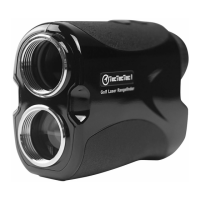

 To Next Page