EasyManua.ls Logo

TEFAL X-plorer Series - User Manual

TEFAL X-plorer Series
33 pages
Print Icon
To Next Page IconTo Next Page
Loading...
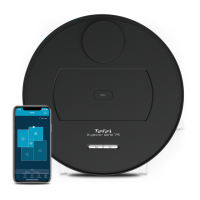
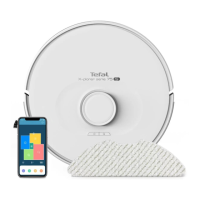
X-plorer Serie 130 AI
1.
2.
3.
4.
5.
6.
EN User’s guide
RU Руководство пользователя
PL Podręcznik użytkownika
ET Kasutusjuhend
LV Lietotāja rokasgrāmata
LT Naudotojo vadovas
TR Kullanım kılavuzu
KK Пайдаланушы нұсқаулығы

Other manuals for TEFAL X-plorer Series

Questions and Answers

  • E
    Edgar ZavalaAug 16, 2025
    How to fix TEFAL X-plorer not charging?
    • S
      Stacey JordanAug 16, 2025
      If your TEFAL Vacuum Cleaner isn't charging, ensure the charging dock is correctly connected to the power supply and the indicator light illuminates. When the robot is properly connected, the indicator light should turn off. If the light doesn't extinguish, wipe the charging pole piece on the robot and the charging piece on the dock with a dry cloth. If it still doesn't charge, contact after-sales support or your dealer.
  • J
    Jessica HarmonAug 19, 2025
    Why is my TEFAL X-plorer losing dirt or not cleaning well?
    • D
      Dr. Keith JohnstonAug 19, 2025
      If your TEFAL Vacuum Cleaner's cleaning ability has decreased or you notice dirt leakage, the dust box might be full, so please clean it. Also, the filter could be clogged, requiring cleaning or replacement. Finally, the main brush might be entangled with foreign matter, so please clean it.
  • N
    natalie91Aug 22, 2025
    What to do if my TEFAL Vacuum Cleaner cannot return to the charging dock?
    • J
      joepattersonAug 22, 2025
      If your TEFAL Vacuum Cleaner isn't returning to the charging dock, ensure there are no objects within 0.5m on either side and 1.5m in front of the dock. Make sure the robot starts sweeping from the charging dock without any unusual movement. Note that the robot returns faster when it is near the charging dock. Also, ensure that the charging electrodes are clean.
  • K
    Kimberly MartinAug 25, 2025
    Why is my TEFAL X-plorer Vacuum Cleaner making abnormal noises?
    • C
      Crystal ThompsonAug 26, 2025
      If your TEFAL Vacuum Cleaner is making abnormal noises during cleaning, there may be foreign objects entangled in the main brush, side brush, or wheels. Please shut down the device and clean these components.
  • W
    William BentonAug 28, 2025
    How to fix TEFAL X-plorer rolling brush not rotating?
    • L
      lfullerAug 28, 2025
      If your TEFAL Vacuum Cleaner rolling brush isn't rotating, clean the rolling brush. Also, verify that the main brush and its cover are correctly installed.
  • R
    Rhonda AveryAug 31, 2025
    Why is my TEFAL X-plorer Vacuum Cleaner not releasing water when mopping?
    • T
      terriorozcoAug 31, 2025
      If your TEFAL Vacuum Cleaner is not releasing water during mopping, ensure there is enough water in the water tank. Check that the mop module is correctly installed; you should hear a voice prompt upon correct installation. Also, check if the water outlet is blocked.
  • D
    Diane HamiltonSep 3, 2025
    What causes abnormal movement in my TEFAL X-plorer?
    • S
      smithvictoriaSep 3, 2025
      If your TEFAL Vacuum Cleaner displays abnormal action or sweep route, carefully clean the sensor with a dry cloth. If the problem persists, restart the robot.
  • A
    Autumn CruzSep 6, 2025
    Why won't my TEFAL X-plorer start?
    • S
      steven16Sep 6, 2025
      If your TEFAL Vacuum Cleaner isn't starting, ensure the main switch is turned on. Make sure it's connected to a power supply and that the battery is fully charged.
  • P
    Patrick BrownSep 9, 2025
    What to do if my TEFAL Vacuum Cleaner is operating abnormally?
    • E
      ericawalshSep 9, 2025
      If your TEFAL Vacuum Cleaner is operating abnormally, try shutting it down and restarting it.
  • P
    Patricia JohnsonSep 12, 2025
    How to make a sweep schedule on TEFAL Vacuum Cleaner?
    • G
      gonzalezteresaSep 12, 2025
      To make a sweep schedule on your TEFAL Vacuum Cleaner, first ensure the robot is powered on. Set the time and schedule the time for automatic sweep using the app. Verify that the scheduled time has been set correctly and that the machine's power is sufficient to start the sweep. Note that the robot will not start any scheduled sweep when a task is already in progress.

Summary

Robot Components Identification

Key Robot Parts and Controls

Identifies main robot components like dustbox, buttons, and indicators.

Docking Station Setup

Docking Station Placement

Robot Operation and Charging

Drop Sensor Safety

Understanding Drop Sensors

Explains the function of drop sensors for detecting stairs/gaps.

Cleaning Cycle Management

Using the Tefal Robots App

App Download and Setup

Instructions to download the Tefal Robots app for full functionality.

Maintenance Schedule

Component Cleaning and Replacement Frequency

Table detailing cleaning and replacement intervals for various robot parts.

Filter Replacement and Safety

General Safety Precautions

Important safety advice, including not disposing of the robot in trash and wearing protective gear.

Battery Removal and Recycling

Steps for Battery Removal

Instructions on how to safely remove the robot's battery.

Troubleshooting Common Errors

Error Codes and Solutions Overview

Lists error codes, possible causes, and solutions for robot malfunctions.

Troubleshooting Specific Issues

Robot Stuck and Brush Stuck Errors

Solutions for when the robot or its brush gets stuck.

Low Battery and Navigation Errors

Troubleshooting low battery and navigation sensor issues.

Troubleshooting Operation and Navigation

Troubleshooting Robot Immobilization

Robot Stuck and Battery Depleted Errors

Steps to take if the robot gets stuck or the battery is depleted.

Brush Stuck Error Resolution

Steps to take if the robot's brush gets stuck.

Troubleshooting Locomotion and Navigation

Troubleshooting Power and Navigation

Troubleshooting General Robot Errors

Troubleshooting Specific Errors

Robot Stuck, Low Battery, Brush Stuck

Steps for common errors like robot stuck, low battery, or brush stuck.

TEFAL X-plorer Series Specifications

General IconGeneral
BrandTEFAL
ModelX-plorer Series
CategoryVacuum Cleaner
LanguageEnglish

Related product manuals