35
User’s Guide
English
SELECTION SCREEN
When selecting a cooking function, automatic
recipe or timer programme the screen will be
split into two sections:
LEFT SECTION. This part of the screen shows
available cooking settings, automatic recipes
and timer programmes.
To select any one of these, turn the left dial
until the desired function appears and confirm
the selection with the button
(if you do not
press any buttons, the oven will confirm this
automatically after a few seconds).
RIGHT SECTION. This part of the screen
shows the values that can be set according
to the selected mode: temperature, weight,
duration, finish time...
To select a value, turn the right dial until
the desired value appears and confirm the
selection with the button
(if you do not
press any buttons, the oven will confirm this
automatically after a few seconds).
Description of the control panel
Information that you will find on the display
screen of your oven and how this will be
displayed is outlined below.
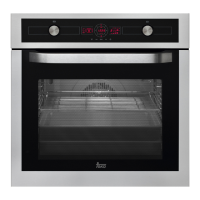
START SCREEN/STANDBY
This screen will appear when the oven is not
working, but is still plugged in.
If the keypad or door locks are activated, the
and symbols will appear on the left side
of the screen.
If a timer has been programmed, the screen will
stop showing the time and show a countdown,
as can be seen in the image.
Selecting functions.


 To Next Page
 Loading...