TEK 880 Radar LTE User Manual
2
9-6210-05
1. Installation / user guide of the TEK 880 Radar device
This document provides guidance of the physical installation of the TEK 880 Radar device and how to
connect to and activate the sensor.
The TEK 880 Radar level measurement sensor uses high frequency radar pulses to determine the
ullage distance (or headspace) in a tank, by measuring the time of flight from the bottom of the
device to the surface of the liquid. The tank % full volume can be inferred from this figure. This
sensor has Bluetooth communication module (BLE 5.0) module to provide for easier setup and
activation via a cell phone iOS or Android application.
Invasive installation
TEK 880 device has a 2” BSP threaded opening to allow it to be screwed into an existing 2” opening
of a tank. An O-ring is supplied and should be used to ensure a watertight seal.
Non-invasive installation
Plastic tanks allow a non-invasive installation as an option. It is used where either a mounting hole is
unavailable or where it is undesirable to cut a mounting hole in the tank. It involves installing an
adapter on the top surface of the tank and mounting the sensor on this adapter.
Note - this option only applies for non-metallic, or tank made from materials which do not block the
passage of a radar signal.
The tank area where the non-invasive adapter is to be installed should be clean, free of grease or
water and dry. The adapter (with the liner removed) is mounted onto the tank and firmly pressed
down to form a good seal with the tank.
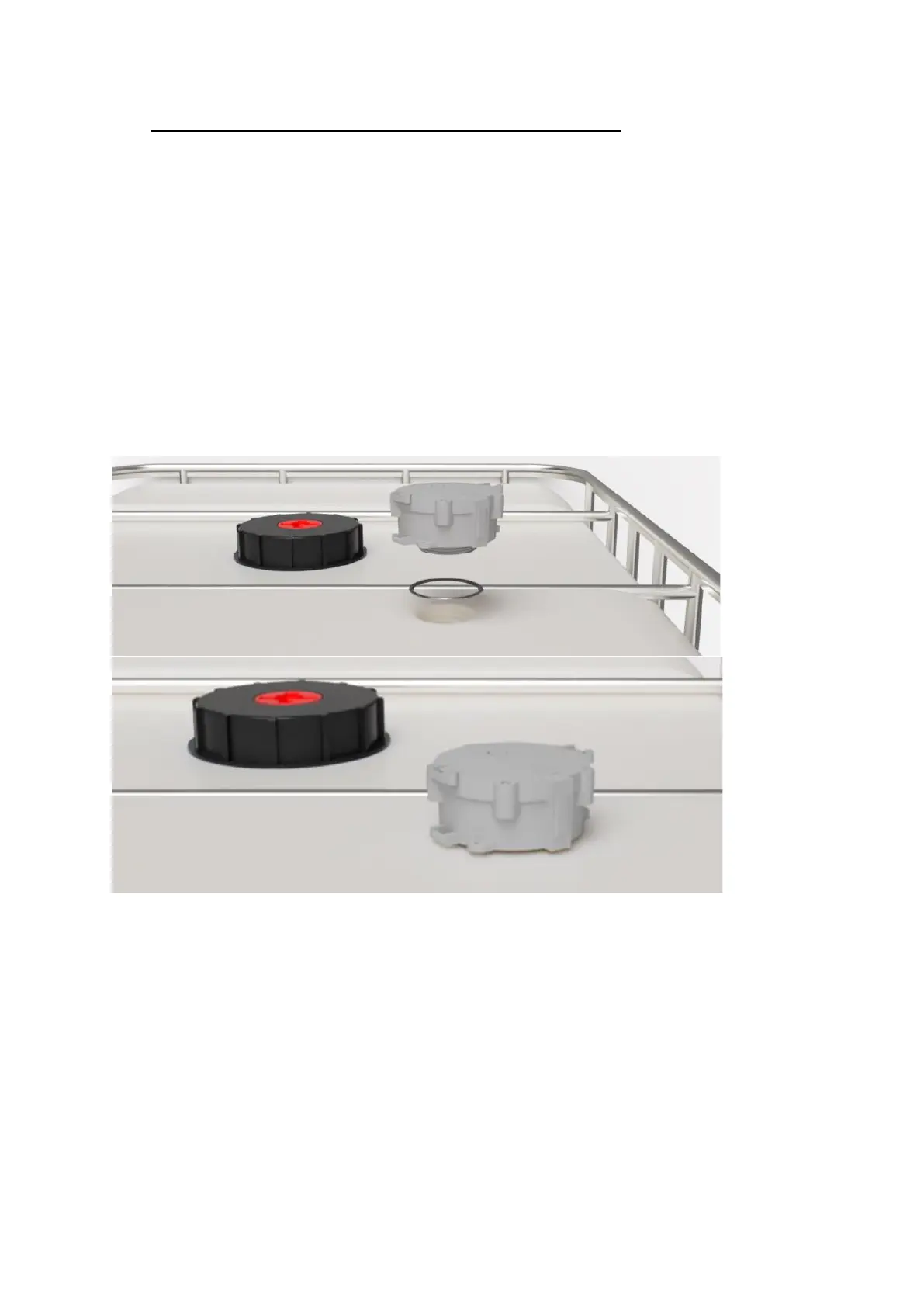
The TEK 880 device is threaded and screwed onto the adapter firmly to make a good seal. The O-ring
shown below seals the non-invasive adapter to the bottom of the sensor main enclosure (the O-ring
is positioned on the 2” thread).


 To Next Page
 Loading...