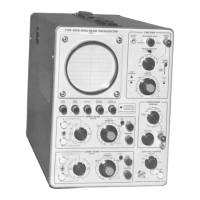
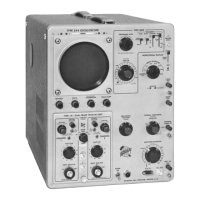
Maintenance— Type 544/R M544
CORRECTIVE MAINTENANCE
General Information
Many components in the Type 544 are mounted in a par
ticular way to reduce stray inductance and capacitance.
While removal or replacement procedures for most parts
in the Type 544 are obvious, remember to duplicate lead
length, lead dress, and location of the original component
when installing replacement parts. Since components of the
same type may exhibit slightly different characteristics, it is
desirable to check the calibration of the Type 544 after com
pletion of repairs.
Component Numbering
The component number of each electrical part is shown on
the circuit diagrams. The following chart lists the component
numbers associated with each circuit.
200-series numbers—Sweep Trigger Circuit
300-series numbers—Sweep Generator Circuit
500-series numbers—Horizontal Amplifier Circuit
600- and 700-series numbers—Low-Voltage Power Supply
800-series numbers—Crt Circuit
900-series numbers—Calibrator
1000-and 1100-series numbers—Vertical Amplifier
Soldering Precautions
In the production of Tektronix instruments, a special silver
bearing solder is used to establish a bond to the ceramic
terminal strips. This bond may be broken by repeated use of
ordinary tin-lead solder, or by excessive heating of the ter
minal strip with a soldering iron. Occasional use of ordinary
60-40 solder will not break the bond unless excessive hear is
applied, but it is advisable to stock solder containing about
3% silver for the maintenance of Tektronix instruments. This
solder may be purchased directly from Tektronix in one-
pound rolls; order by Part Number 251-514.
Because of the shape of the ceramic-strip terminals, it is
recommended that a soldering iron with a wedge-shaped tip
be used. A wedge-shaped tip allows the heat to be con
centrated on the solder in the terminals and reduces the
amount of heat required. It is important to use as little heat
as possible while producing a full-flow joint.
The following procedure is recommended for removing or
replacing components mounted on ceramic strips:
1. Use a 50- to 75-watt soldering iron.
2. Tin the tip with solder containing about 3% silver.
3. Use long-nose pliers for a heat sink. Attach pliers be
tween the component and the point where heat is
applied.
4. Apply heat directly to the solder in the terminal without
touching the ceramic. Do not twist the iron in the notch
as this may chip or break the ceramic strip.
5. Apply only enough heat to make the solder flow freely.
6. Do not attempt to fill the notch on the strip with solder;
instead apply only enough solder to cover the wires
adequately and form a small fillet on the wire. Over
filling the notches may result in cracked terminal strips.
If the lead extends beyond the solder joint, clip the ex
cess as close to the joint as possible. Remove all wire
clippings from the chassis.
Tubes and Transistors
Tubes or transistors should not be replaced unless they are
actually defective. If they are removed and found to be
acceptable, be sure to return them to their original sockets.
Tube or transistor-tester checks on the tubes or transistors
used in the Type 544 are not recommended. Testers may indi
cate a tube or transistor to be defective when it is operating
satisfactorily in a circuit, or may fail to indicate defects which
affect the performance of the circuits. It is recommended
that tubes and transistors be checked by substitution. If the
tube or transistor is good, return it to its socket. Unnecessary
replacement is not only expensive but may also result in
needless recalibration of the instrument.
When installing replacement transistors on heat sinks in the
instrument, the bottom of the transistor where it contacts the
heat sink should be coated with silicone grease. If a heat
sink has been replaced along with the transistor, then that
area of the heat sink which contacts the chassis of the instru
ment should also be coated with silicone grease.
Wafer Switches
Individual wafers are normally not replaced in the switch
assemblies. If one wafer is defective, the entire switch as
sembly should be replaced. Switches can be ordered from
Tektronix either wired or unwired. For wired and unwired
part numbers, refer to the parts list in Section 6.
The wafer switches shown on the schematics are coded to
indicate the position of the wafer on the switch. The wafers
are numbered from front to rear (i.e., the number 1 wafer is
always closest to the front panel). The letters F and R indicate
the front or rear of the wafer. For example, a code designa
tion of 3R means the rear side of the third wafer from the
front panel.
Cathode-Ray Tube
To remove and replace the cathode-ray tube, perform the
following procedure:
WARNING
Be careful when handling a crt. Avoid striking it on
any object that might cause it to crack and implode.
Flying glass from an imploding crt can cause serious
injury. Use safety glasses or a plastic face mask for
protection.
1. Remove the crt bezel nuts, bezel, and plastic polarized
light filter (see Fig. 4-2).
2. Remove plastic eyebrow and retaining spring from
the top of the crt.
3. Remove crt anode lead, disconnect all leads to the
neck of the crt.
NOTE
Do not disconnect the crt trace-rotation coil leads.
4-2
®2


 To Next Page
 Loading...