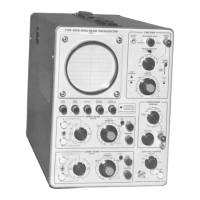
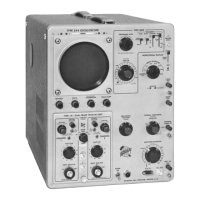
Calibration— Type 544/R M 5 44
23. Adjust SWEEP LENGTH R325
a. Set the time-mark generator for 100-^.sec and 1-msec
time-marker output.
b. Check that the HORIZONTAL DISPLAY switch is set
to NORMAL.
c. Adjust the TU-7 Variable control so the display is
about 4 cm in amplitude.
d. If necessary, adjust the TRIGGERING LEVEL control
to produce a stable display.
e. Using the HORIZONTAL POSITION control, position
the 11th 1-msec time marker (located at the 10-cm
graticule line) to graticule center.
f. Adjust the SWEEP LENGTH R325 control (see Fig. 5-2)
so five 100-^sec time markers are displayed after the
11th 1-msec time marker.
g. Using the HORIZONTAL POSITION control, position
the display to start at the left side of the graticule
or 0-cm line. If the adjustment is made correctly, the
sweep length (or display) should be 10.5 cm long.
24. Check VARIABLE (TIME/CM) and UNCALIBRATED
Neon— Sweep Timing Switch
a. Set the time-mark generator for 10-msec time-marker
output.
b. Adjust the TRIGGERING LEVEL control to trigger on
the time markers.
c. Rotate the VARIABLE (TIME/CM) control a few de
grees in the counterclockwise direction. The UNCALI
BRATED neon should light as the switch on the control
is activated.
d. Rotate the VARIABLE control to its fully counterclock
wise position. Note the distance between the maik-
ers. The distance should be 4 cm or less.
e. Set the VARIABLE control to the CALIBRATED position.
25. Adjust C290C (10-/iSEC Sweep-Rate Timing)—
Sweep Timing Switch
a. Set the time-mark generator for 10-^sec time-marker
output.
b. Set the TIME/CM switch to 10 ^.SEC.
c. Set the TU-7 Variable control so the markers are
about 4 cm in amplitude.
d. Adjust the TRIGGERING LEVEL control to trigger on
the 10-,usec time markers.
e. Adjust C290C (see Fig. 5-2) so the time markers are
spaced 1 cm apart and for correct timing of the mark
ers at the 1-cm and 9-cm graticule lines.
26. Adjust C290B (1-frSEC Sweep Rate Timing)—
Sweep Timing Switch
a. Set the time-mark generator for 1-ju.sec time-marker
output.
b. Set the TIME/CM switch to 1 ^SEC.
c. Set the TU-7 Variable control so the markers are
about 4 cm in amplitude.
d. Adjust C290B (see Fig. 5-2) so the time markers are
spaced 1-cm apart and for correct timing of the
markers at the 1-cm and 9-cm graticule lines.
NOTE
If the first half of the sweep is non-linear and
1-cm spacing of the time markers is difficult to
obtain, preadjust C299 (see Fig. 5-8) to improve
sweep linearity.
27. Adjust C290A (.5 -.SEC Sweep-Rate Timing)
Sweep Timing Switch
a. Check that the time-mark generator is set for 1-^sec
marker output.
b. Connect a coax cable from the trigger out connector
on the time-mark generator to the TRIGGER INPUT
connector.
c. Set the trigger rate of the time-mark generator for
10-^sec trigger output.
d. Set the TIME/CM switch to .5 ^SEC and set the
SOURCE switch to EXT.
e. Push the TRIGGERING LEVEL knob in and adjust the
TRIGGERING LEVEL control for stable triggering.
f. Using the HORIZONTAL POSITION control, position
the display so the tip of the 2nd marker coincides
with the 1-cm graticule line.
g. Adjust C290A (see Fig. 5-2) so there is one marker
every 2 cm. The 2nd and 6th markers should coin
cide accurately with the 1-cm and 9-cm graticule
lines, respectively.
28. Adjust C299 (.l-^SEC Sweep-Rate Timing) —
Sweep Generator
a. Set the time-mark generator for 10-mc sine-wave
output.
b. Set the TIME/CM switch to .1 fxSEC.
c. If necessary, adjust the TRIGGERING LEVEL controls
to obtain a stable display.
d. Position the 2nd sine wave to align with the 1-cm
graticule line.
e. Adjust C299 (see Fig. 5-8) for proper timing of 1
cycle per cm from the 1-cm to 9-cm graticule lines.
(Disregard the first sine wave near the 0-cm grati
cule line.)
f. Repeat steps 26 through 28 since adjustment of C299
interacts with C290A and C290B adjustments.
29. Adjust C572 and C582 (High-Speed Sweep
Length Compensation)— Horizontal Amplifier
a. Set the time-mark generator for 50-mc sine-wave
output.
®
5-10


 To Next Page
 Loading...