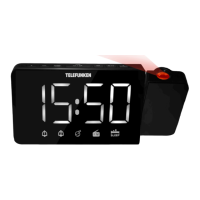
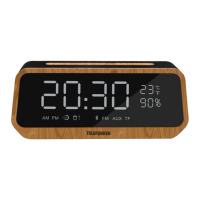
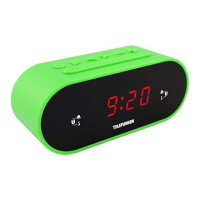
5
Instruction manual
6
Nap timer (countdown timer)
• During radio off mode, press the NAP button
to turn on the NAP mode, the NAP time will stay
for 5 seconds.
• Within 5 seconds press NAP button again to
change the duration from 90 min to 10 min.
• The alarm buzzer will sound for 30 min and
then shut off automatically. To stop the alarm
buzzer, press the ON/OFF button.
• Pressing the NAP button has no effect during
alarm operation. Press the ON/OFF button to
cancel the NAP function.
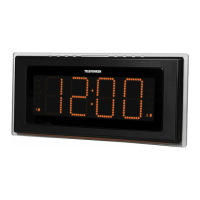
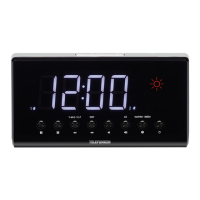
Laser projection
• This unit is equipped with a laser projector
showing the current time and weather
synchronized with the main display.
• Press ON/OFF button to switch the
projector on. Adjust manually the position of
the projector unit to direct the laser beam on a
plain surface (ceiling, wall).
• Using FOCUS regulator, adjust the
projected image focus. Maximum projection
distance is 2.7 m.
• Press 180
0
FLIP button to flip the projected
image.
Maintenance and care
Switch off the appliance, unplug from the
power supply. The outside of the appliance can
be cleaned with a slightly damp cloth.
Accessories
1 pc
1 pc
Receiver
Instruction manual
Weather station
•
There is a built-in humidity sensor in your
unit to make the weather forecast. There are
four types of weather display in your weather
station (sunny, sunny and cloudy, cloudy,
rainy).
•
Remarks: for better use of the weather
station, place your unit at a location with open
air circulation e.g. close by an open window.
Placing it at an air-conditioned environment
will affect its accuracy. After your weather
station is powered up, it will take around 3
hour to get stable. The weather icons on the
display give a reference to the next 12-24
hours weather conditions. It may not match
with the current weather condition outside.
•
Predictions accuracy: 70%; prediction
of the considerable weather changes (for
example, from sunny weather to rain) is
more accurate than prediction of negligible
weather changes (from partly cloudy to
cloudiness).
•
Weather station predicts possible weather,
thus symbols could not agree with current
weather. Forecast: SUNNY for night means
cloudless sky.
Thermometer
Press TUNE/ button repeatedly to show
the current temperature. The temperature
indicatoin will be on for 5 seconds, then the
display returns to initial mode. Press and hold
TUNE/ button to switch between Celsius
and Fahrenheit temperature modes.


 To Next Page