Do you have a question about the TELEPASS ETOLLK1TL SAT K1 and is the answer not in the manual?
Instructions on preventing physical damage to the device, including avoiding tampering, liquids, heat, and magnetic fields.
Ensures proper functioning by following installation instructions, checking for damage, and reporting issues promptly.
Key usage restrictions: do not disconnect power, use only in the designated vehicle, and avoid using multiple devices simultaneously.
Lists the items included in the package: Telepass SAT device, power cable, Velcro strips, cleaning wipes, vehicle declaration, and safety notices.
Details the requirement to carry the vehicle declaration and supporting documents for specific toll services.
Explains the device performs e-toll payments via dedicated lanes, detection gates, or satellite localization systems.
Emphasizes continuous power supply is needed; operating without it may result in fines.
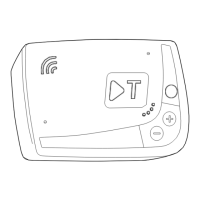
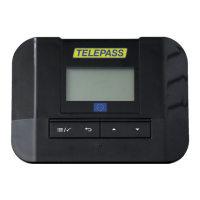
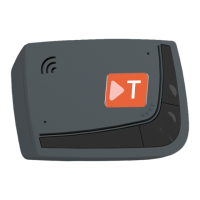
Identifies the parts of the Telepass SAT device, including status LED, function buttons, communication LED, and power inlet.
Details how the function button (B) is used to access, confirm, or exit device functions and setups.
Explains the use of adjustment buttons (+/-) (C) for navigating functions, options, and volume levels.
Provides safety instructions for approaching tollbooths, including following directions and maintaining distance from other vehicles.
Explains the meaning of different Status LED colors and patterns (green, red, off) for device function and fault indication.
Describes the function of the Communication LED (green, yellow, red) in indicating dialog and voice messages with the device.
Details the sound signals emitted by the device upon entering radio detection areas and the meaning of different signal counts.
Illustrates the device's menu structure and how to navigate through different configuration options using the buttons.
Explains how to access and view device information such as identification, software, faults, active services, and vehicle plate.
Provides step-by-step instructions for changing the device's language setting via the device interface.
Guides users on how to check and update the vehicle's axle count, including tandem and liftable axles.
Details the procedure for checking and adjusting the vehicle's weight setting, emphasizing its importance for correct toll calculation.
Highlights the benefits of the Telepass Truck App for managing device status, settings, vehicle information, and accessing manuals.
Instructs users to scan a QR code to download and install the Telepass Truck App on their smartphone.
Provides a step-by-step guide for registering user accounts and logging into the Telepass Truck App to connect with the device.
Describes the key sections of the Telepass Truck App's main dashboard, including device status, configurations, manuals, info, and menu.
Explains how to view device identification, language, axle, and weight settings via the app's dashboard.
Details how to access specific vehicle information such as plate, nation, emissions class, and axle/weight details through the app.
Guides users on how to set device language, vehicle weight, and axle count using the Telepass Truck App.
Provides pre-departure advice for various countries (Austria, Belgium, Scandinavia, Germany, Poland, Hungary, Switzerland, Bulgaria) focusing on data matching.
Details common fault messages like LTE anomaly, GNSS anomaly, OBU blocked, service inactivity, tampering, battery, and temperature.
Instructions for cleaning the device and guidance on proper disposal or return to service providers.
Lists device specifications, back label details, and explains compliance markings (WEEE, RoHS, CE).
States compliance with EU directives and UNECE regulations, including declaration of conformity and approval.
Directs users to the service contract for warranty information and provides manufacturer contact details.
| Category | Automobile Accessories |
|---|---|
| Product Name | TELEPASS ETOLLK1TL SAT K1 |
| Operating Temperature | -20°C to +60°C |
| Device Type | Electronic Toll Collection (ETC) Device |
| Mounting | Windshield mounted |
| Battery | Rechargeable lithium battery |
| Display | LED status indicators |
| Certification | CE certified |