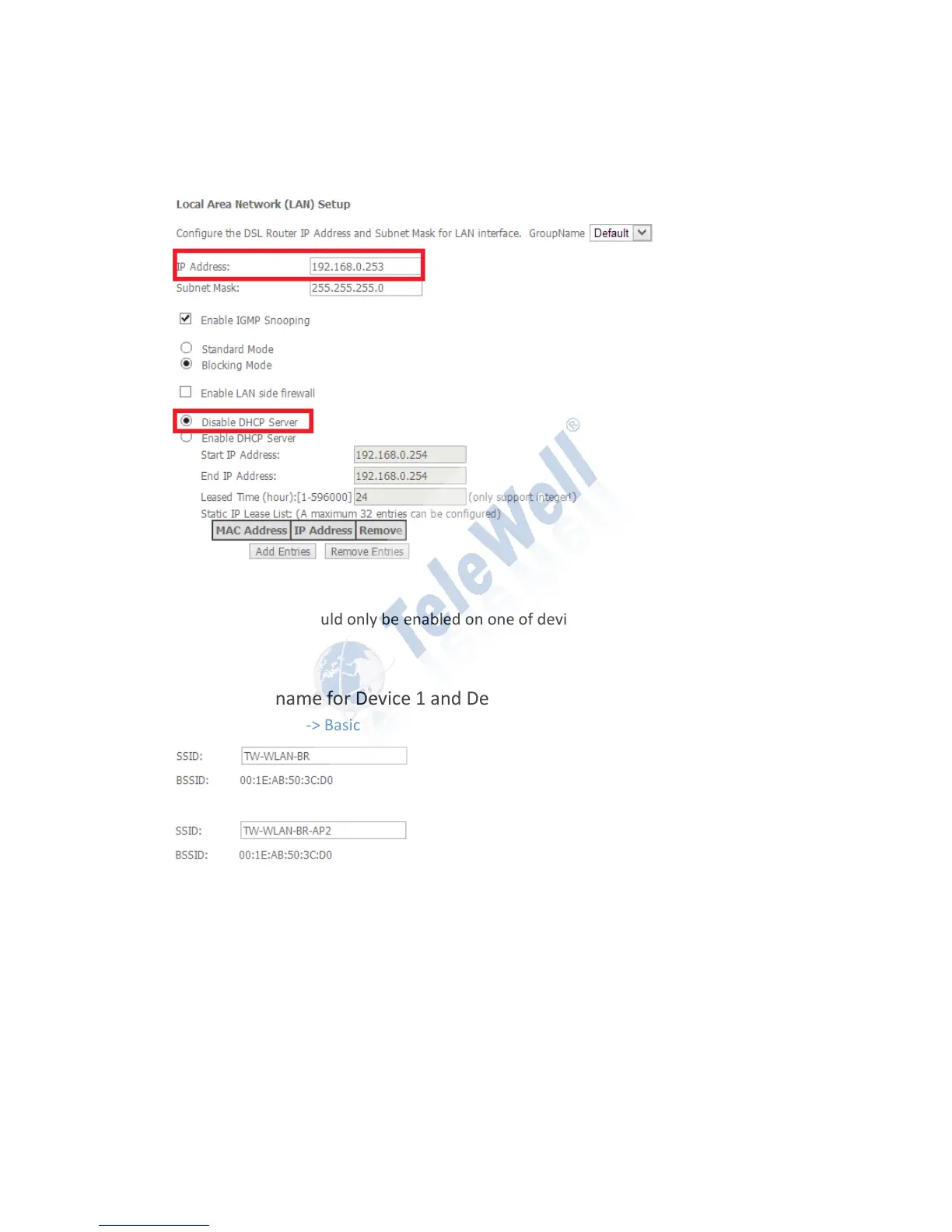
Device 2 with DHCP Server disabled
Advanced Setup -> LAN -> LAN Setting
The DHCP server should only be enabled on one of device in order to prevent any
conflict.
2. The SSID name for Device 1 and Device 2 can be different.
Device 1: Wireless -> Basic
Device 2: Wireless -> Basic
3. The Wireless security setting can only be WEP 64/128bit for Wireless
Bridge (WDS) connection.



 To Next Page