1.
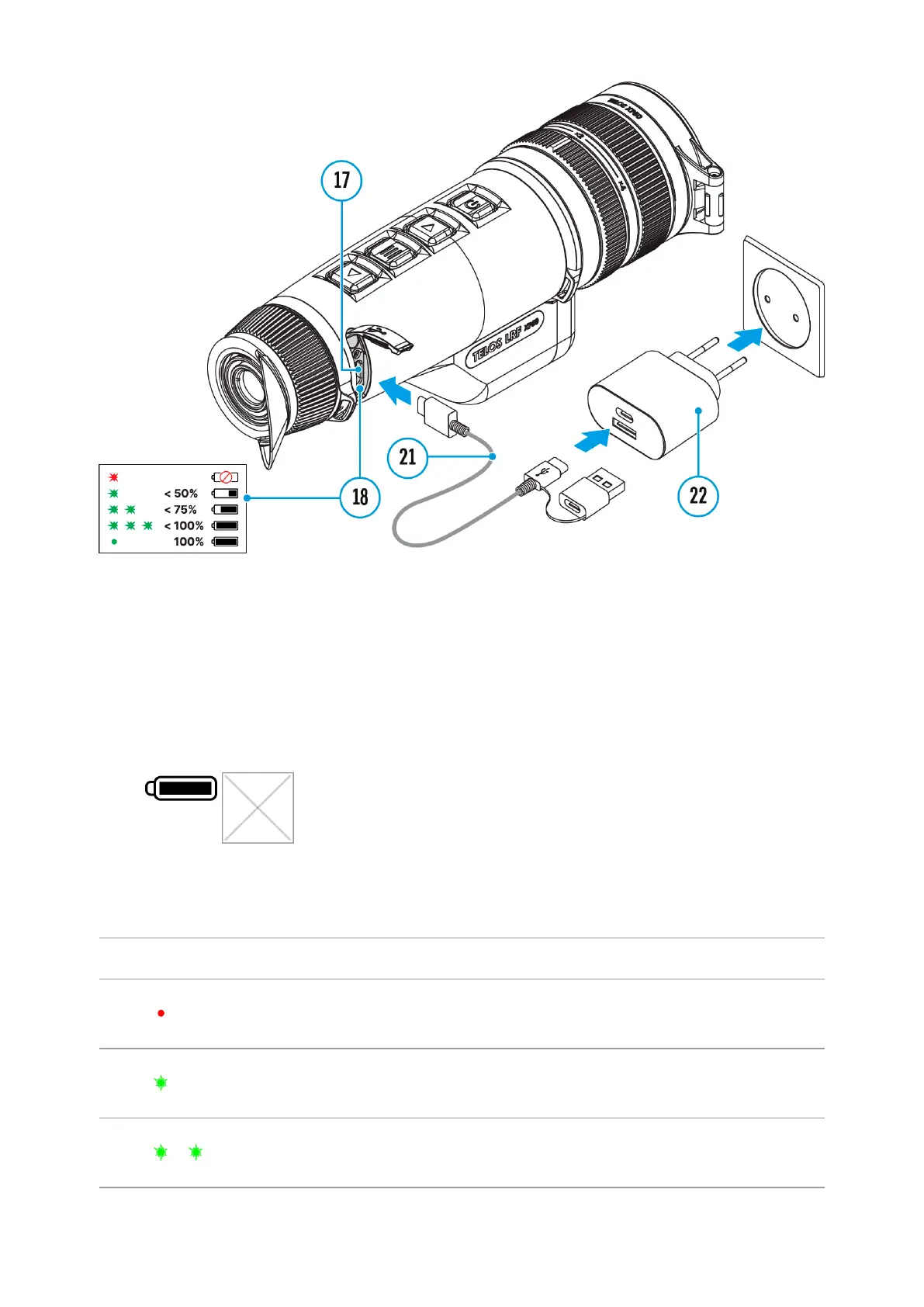
Install the LPS7i battery in the battery compartment of the device.
2.
Connect the USB cable (21) to the USB Type-C connector (17) of the
device.
3.
Connect the other end of the USB cable (21) to the Power Adapter (22)
by removing the USB Type-A adapter.
4.
Plug the Power Adapter (22) into a 100-240 V socket.
5.
Wait until the battery is fully charged (indication in the status bar:
Image not found or type unknown
).
If the device is off, the LED indicator (18) will display the battery
charge status:
LED indication Battery charge status
Battery defective. Do not use
the battery!
Battery charge level is from
0% to 50%
Battery charge level is from
51% to 75%



 To Next Page