11
Installing your Access 200:
The telephone should be located near a 240V AC
power source.
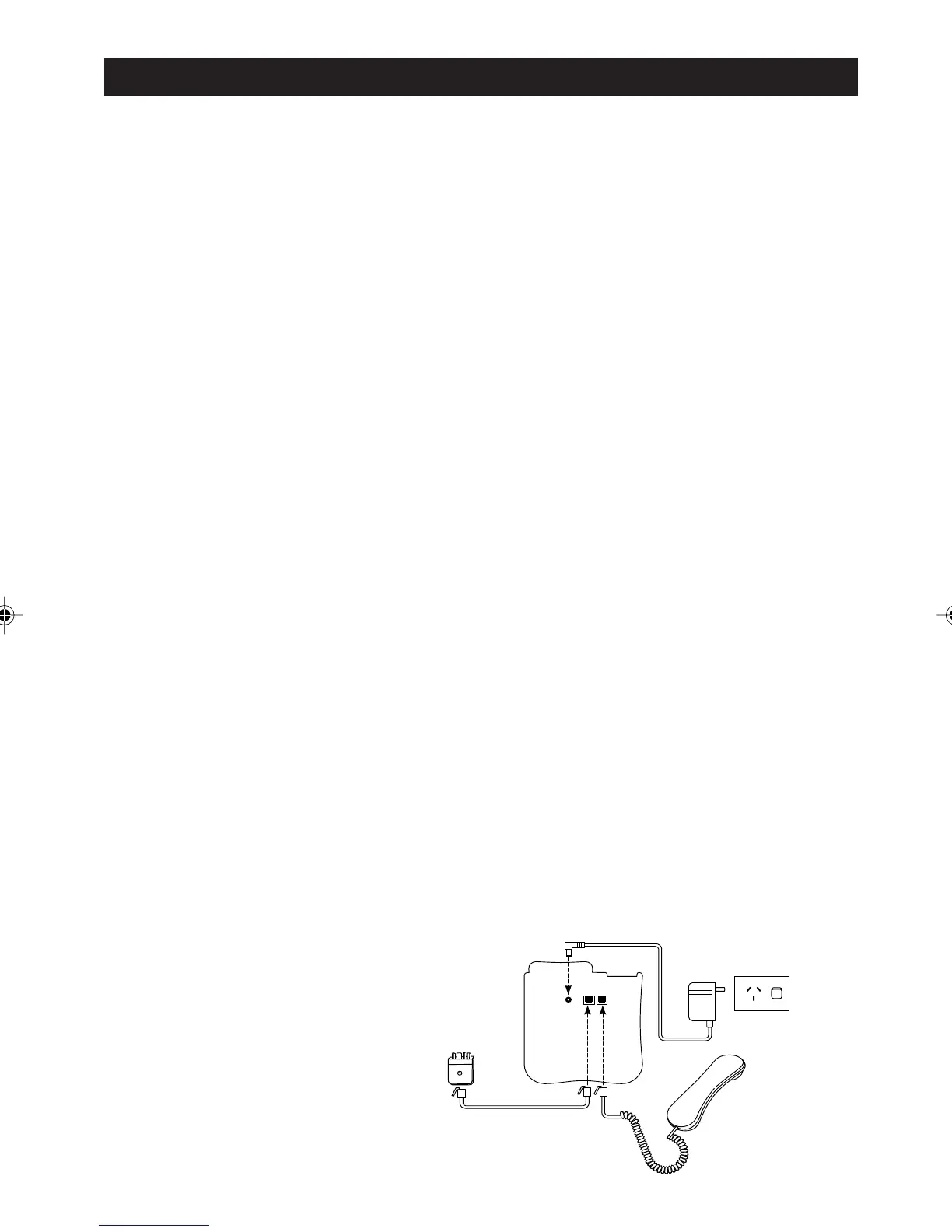
Step 1. Connect the handset cord:
Turn the telephone over. Plug one end of the coiled
handset cord into the right hand modular socket
Then insert the cord into the channel below the
socket and plug the other end of the cord into the
handset.
Step 2. Connect the line cord:
Plug one end of the telephone line cord into the
left-hand modular socket. Then insert the cord into
the channel below the socket and plug the other
end of the cord into the telephone line socket using
either the Modular Adaptor provided or the modular
plug depending on the type of telephone line socket
using either the modular adaptor plug provided or
the modular plug depending on the type of
telephone line socket in use.
Step 3. Connect the AC Power Adaptor:
Insert the small plug of the AC power adaptor into
the DC 9V socket. Then insert the cord into the
channel below the socket and plug the power
adaptor in the power outlet.
GETTING STARTED
Step 1
Step 2
Step 3
a200ug.p65 3/7/01, 11:08 AM11



 To Next Page