EasyManua.ls Logo

Telstra Touchfone 400 - Advanced Call Management; Call Back Busy; Call Return

Telstra Touchfone 400
4 pages
Print Icon
To Next Page IconTo Next Page
To Previous Page IconTo Previous Page
Loading...
To Place the Last
Person
Connected on Hold:
Press
,fr?li
To
Cancel 3-Way Chat:
All
parties
hang
up.
To Return to the Person
on Hold:
Press
canlet
CALL
BACK BUSY
With the
"Call
Backi Return
button
you
can
automatically
call back an
engaged call.
To Arrange Call Back
Busy to
a
Busy Number:
When
you
hear
busy
tone
Press
cfliflii(
To
Cancel Call Back:
p,"r,
cancel
,
cfl!fliik
anO
aar Bark
again.
CALL
RETURN
Call Return lets
you
retrieve
the number
of
your
last
unanswered caller. To hear
your
caller's
number
!i[
handset
and
press
.fllfl?:.
lf
you
wish to return the call
dial
1.
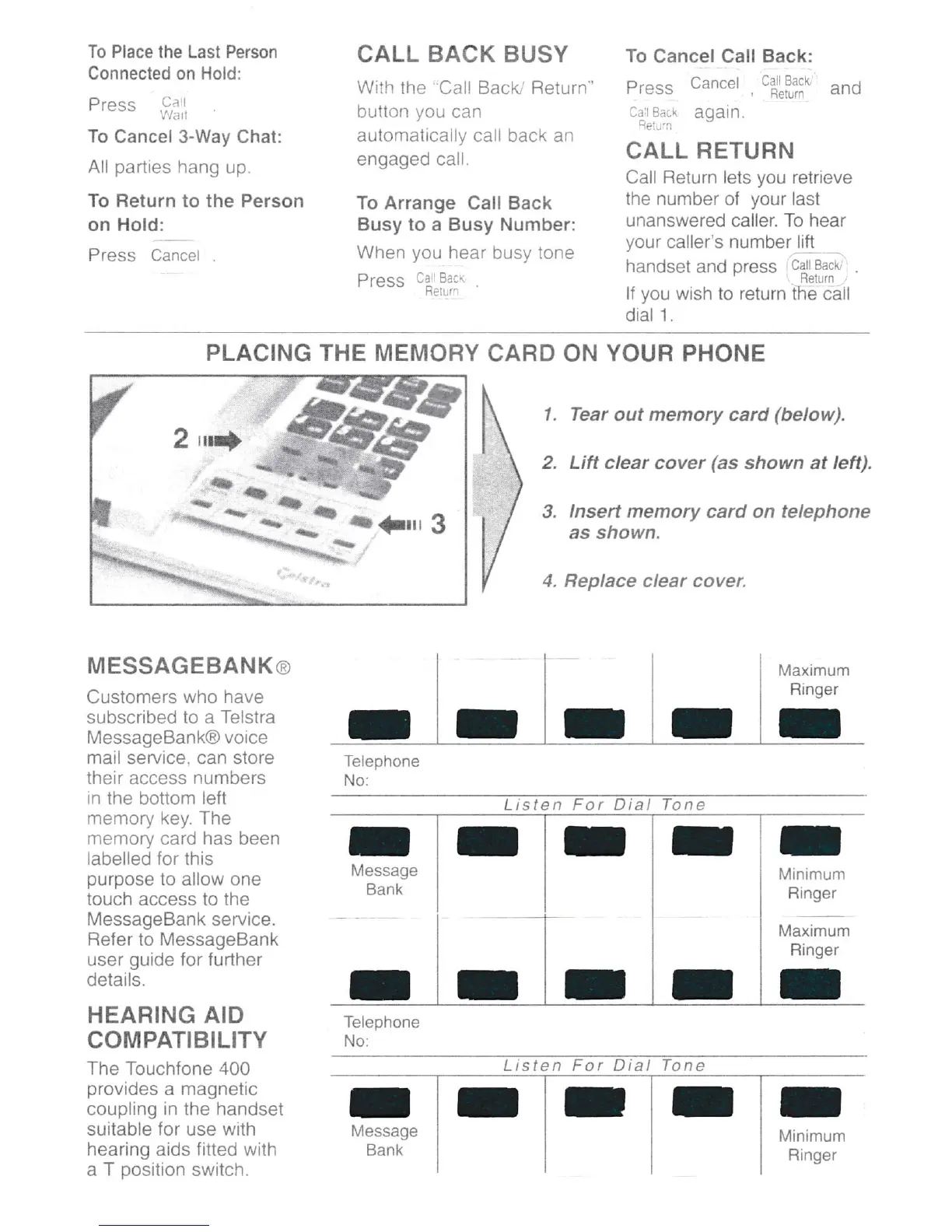
PLACING THE MEMORY
CARD ON
YOUR
PHONE
I
nt)
ffi,,.
1.
2.
3.
Tear
out
memory
card
(below).
Lift clear cover
(as
shown at left).
lnsert memory card on telephone
as shown.
4. Replace
clear cover.
Telephone
No:
MESSAGEBANKo
Customers
who have
subscribed to a Telstra
MessageBank@ voice
mail service, can store
their access numbers
in the
bottom
left
memory key. The
memory card has been
labelled for this
purpose
to allow one
touch access to the
MessageBank
service.
Refer
to MessageBank
user
guide
lor further
details.
HEARING AID
COMPATIBILITY
The Touchlone
400
provides
a magnetic
coupling in the handset
suitable for
use
with
hearing alds litted with
a T
position
switch.
Telephone
No:
r
IMrn
muTn
Ringer
[,4aximum
Ringer
I
r
I
Listen For Dial Tone

Related product manuals