Rev 00
Indicates Maximum Speed Setting
Indicates Medium Speed Setting
Indicates Minimum Speed Setting
Enter Scrub Propel Speed Select Mode by holding down the Increase Down Pressure (+) button on Start up till you see the Down
Pressure LED’s illuminate. The Increase Down Pressure (+) and Decrease Down Pressure (-) buttons may be used to change the
speed setting. Turn the key switch off to exit Scrub Propel Speed Select Mode. After the setting is changed it is maintained in
non-volatile memory until changed.
Low Pressure LED represents Low Scrub Propel Speed Selection.
Medium Pressure LED represents Medium Scrub Propel Speed Selection.
High Pressure LED represents High Scrub Propel Speed Selection.
P
u
s
h
&
H
o
l
d,
Tu
r
n
K
e
y
Sw
i
t
ch
ON
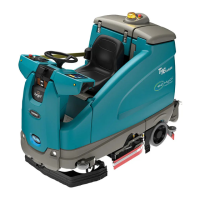
T5 – Scrub Propel Speed Selection Mode
62 T5 9002333 REV.02 (07-06)
E



 To Next Page
 Loading...