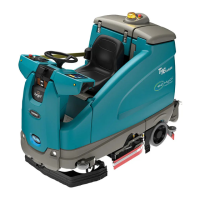
Indicates 32” (80 cm) Width
Indicates 24” (60cm) or 26” (65 cm) Width
Indicates 28” (70 cm) Width
Indicates Cylindrical Type Head
Indicates Disc Type Head
1. To enter Scrub Head Select Mode simultaneously hold down the Decrease Down Pressure (-) button and the Decrease Water (-)
button when turning on the key switch. Hold the buttons until a Down Pressure LED and a Solution LED are illuminated. The current
machine configuration is displayed. In the example above, the shaded LED’s indicate that the machine is configured for a 28” (70cm)
Disc Scrub Head. To exit Scrub Head Select Mode without changing the scrub head setting, turn the key switch off.
2. To change the scrub head setting,
press and hold the One-Step button for five seconds until the One-step button starts to blink. Now,
the Increase Down Pressure (+) button may be used to change the Scrub Head Type. The Increase Water (+) button may be used to
change the Scrub Head Size. Each button press will increment the setting up to the next setting. Note: Only valid values will be
allowed.
3. Turn the key switch off to lock the setting into memory.
Rev 01
P
u
s
h
&
H
o
l
d
,
T
u
r
n
K
e
y
S
wi
t
ch
O
N
P
u
s
h&H
o
l
d
,
T
u
r
nK
e
y
S
w
i
t
c
h
ON
T5 – Scrub Head Selection Mode
T5 9002333 REV.02 (07-06) 63
E



 To Next Page
 Loading...