25
Starng up
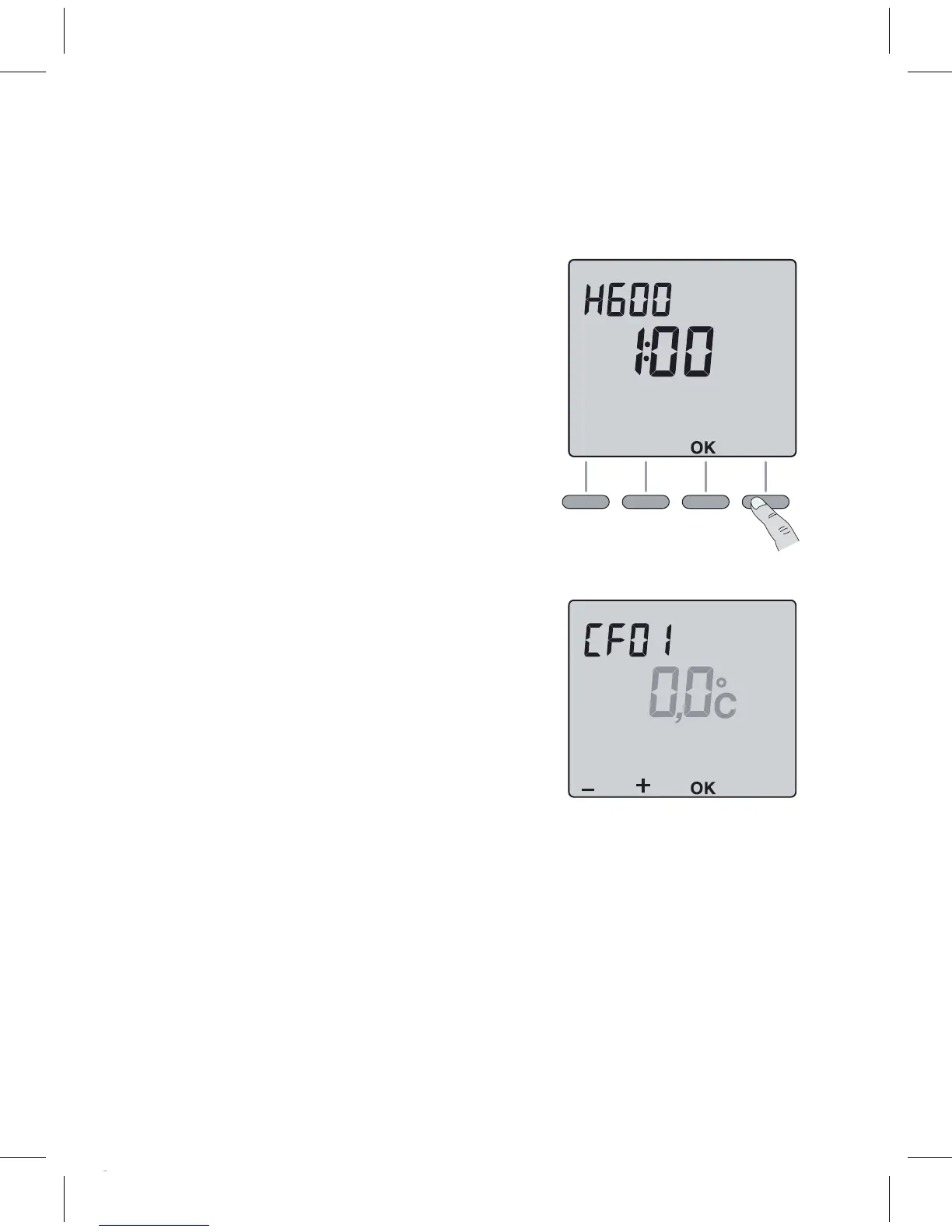
Turn the knob to Shutdown and press the
right-handbuonfor5secondsunlH601
(maintenancemenureservedforthe
installer).
Press OK.
The screen displays CF01.
CF01 – Correcon of room temperature
measurement.
Ifthereisadierencebetweenthetempera-
ture noted (thermometer) and the tempera-
ture measured and displayed by the unit, the
menu acts on the measurement of the probe
soastocompensateforthisdierence(from
-4° Cto+4° Cinstepsof0.1° C).
Press + or – to make your choice, OK to
conrmitandgotothenextmenu.
5 sec.
Page 5
Page 5
5
Page 5


 To Next Page