EasyManua.ls Logo

Tesco BT1402R - User Manual

Tesco BT1402R
8 pages
Print Icon
To Next Page IconTo Next Page
Loading...
1 1 2 3
User Guide
BT1402G
BT1402R
Bluetooth speaker
Read these instructions. Keep these instructions.
Heed all warnings. Follow all instructions.
Do not use this apparatus near water.
Clean only with a slightly damp cloth.
Do not block any ventilation openings.
Install in accordance with the manufacturers
instructions.
Do not install or operate near any heat sources such
as radiators, stoves, or other apparatus that produce
heat.
Unplug this apparatus during lightning storms or when
unused for long periods of time.
Refer all servicing to qualied service personnel.
Servicing is required when the apparatus has been
damaged in any way, such as the power-supply cord
or plug is damaged, liquid has been spilled or objects
have fallen into the apparatus, the apparatus has been
exposed to rain or moisture, does not operate normally,
or has been dropped.
Warning: To reduce the risk of re or electrical shock,
do not expose this product to rain or moisture. The
product must not be exposed to dripping and splashing
and no object lled with liquids such as a vase of
owers should be placed on the product.
No naked ame sources such as candles should be
placed on the product.
Caution: Changes or modications not expressly
approved by the manufacturer could void the users
authority to operate this device.
Caution: Usage of controls or adjustments or
performance of procedures other than those specied
herein may result in hazardous exposure.
BATTERY CAUTIONS
The speaker uses batteries. The batteries shall not be
exposed to sunshine, re or the like.
Do not service the internal battery. Have it examined
(and replaced if needed) by a competent service
centre.
Discard used batteries in accordance with recycling
regulations in force in your area.
IMPORTANT
This equipment generates, uses and can radiate radio
frequency energy and, if not installed and used in
accordance with the instructions, may cause harmful
interference to radio communication. However, this
is no guarantee that interference will not occur in a
particular installation. If this equipment does cause
harmful interference to radio or television reception,
which can be determined by turning the equipment
o and on, the user is encouraged to try to correct the
interference by one of the following measures:
- Reorient or relocate the receiving antenna.
- Increase the separation between the equipment and
receiver.
- Connect the equipment into an outlet on a
circuit dierent from that to which the receiver is
connected.
- Consult the dealer or an experienced radio/TV
technician for help.
DECLARATION
Hereby Tesco Stores Ltd declares that this (Tesco
BT1402G/BT1402R) is in compliance with the essential
requirements and other relevant provisions of
directive 1999/5/EC. For a full copy of the Declaration
of Conformity for this product contact: Tesco Stores
Limited, Cheshunt, EN8 9SL.
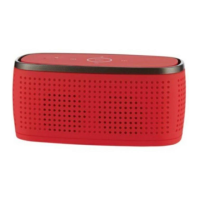
The BT1402 is a compact, stereo Bluetooth
speaker that will conveniently link to your
mobile Bluetooth devices for playback of music
or to make hands-free phone calls.
The speaker is powered by internal batteries
that can be re-charged by connecting to a
standard USB outlet on a computer or to a USB
charger (not supplied).
The controls include touchpads to operate basic
functions of your Bluetooth source.
An AUX IN input is also available to connect to
personal audio players, computers etc that are
not equipped with a Bluetooth wireless system.
This symbol indicates that there are important
operating and maintenance instructions in
the literature accompanying this unit.
This symbol indicates that dangerous voltage
constituting a risk of electric shock is present
within this unit.
CAUTION!
RISK OF ELECTRIC SHOCK
DO NOT OPEN
TO REDUCE THE RISK OF ELECTRIC SHOCK
DO NOT REMOVE COVER (OR BACK)
IMPORTANT SAFETY INFORMATION
CONTROLS AND CONNECTIONSINTRODUCTION
UNPACKING
Carefully unpack the unit. If it is damaged,
please return it to your nearest Tesco store for
replacement. Remember to take your purchase
receipt with you.
Retain the User Handbook. If you pass the unit
on to a third party, make sure you pass on the
handbook.
We suggest you retain the packaging. If you
dispose of it, do so having regard to any
recycling regulations in your area.
PRELIMINARIES
FRONT VIEW
BACK VIEW
COMPATIBILITY
NOTE: The BT1402 is compatible with Bluetooth
devices using V2.1 technology or later.
The speaker may not function correctly when
used with devices that use Bluetooth technology
earlier than V2.0.
CONTENTS
The carton should contain:
The BT1402 Bluetooth speaker•
USB charging cable•
Operating Manual•
If any items are missing or damaged, contact
your nearest TESCO store for a replacement.
Have your receipt ready when you call. Retain
the packaging. If you dispose of it, do so having
regard to any recycling regulations in your area.
LOCATION
Place the unit on dry stable surface away from
heat and damp and where it is unlikely to fall or
be knocked over.
a
b
c
d
e
f
g
a
b
c
Bluetooth/charge 1.
indicator
Microphone2.
O/On switch1.
DC IN jack2.
Aux In jack3.
Previous touchpad3.
Volume down touchpad4.
Play/Pause/Answer touchpad5.
Volume up touchpad6.
Next touchpad7.
Question and Answer IconNeed help?

Do you have a question about the Tesco BT1402R and is the answer not in the manual?

Summary

IMPORTANT SAFETY INFORMATION

Electric Shock Warning

Warning against opening the unit to prevent electric shock hazard.

Cover Removal Warning

Instructions to avoid removing covers to prevent electric shock.

Battery Handling Precautions

Precautions for handling and disposing of batteries to avoid hazards.

Radio Frequency Interference

Notes on potential radio frequency interference and how to mitigate it.

Declaration of Conformity

Declaration of compliance with EU directives for the product.

INTRODUCTION

Bluetooth Compatibility

Information on compatible Bluetooth versions and potential issues with older versions.

PRELIMINARIES

Unpacking and Initial Checks

Guidance on unpacking, checking for damage, and retaining documentation.

Package Contents

List of items included in the product packaging.

Optimal Placement Guidelines

Recommendations for placing the speaker on a stable, dry surface away from hazards.

CONTROLS AND CONNECTIONS

Front Panel Controls

Identifies and describes controls and indicators on the front of the speaker.

Back Panel Connections

Identifies and describes connection ports on the back of the speaker.

POWER SUPPLY

Connecting USB Power Source

Instructions for connecting the speaker to a power source via USB.

Battery Charging Process

Details on the battery charging process and indicator lights.

Low Battery Indicator

Explains the low battery warning signal and charging recommendations.

BATTERY CARE

POWER CONTROL

Turning the Speaker On

Steps to power on the speaker and its initial behavior.

Turning the Speaker Off

Instructions for powering down the speaker.

BLUETOOTH PAIRING AND CONNECTION

Bluetooth Device Pairing

Step-by-step guide for pairing the speaker with a Bluetooth source.

Automatic Re-connection

Information on how the speaker automatically reconnects to previously paired devices.

Bluetooth Disconnection

Instructions on how to disconnect the speaker from a Bluetooth device.

OPERATION

Using Touch Controls

Explains how to use the touch-sensitive controls on the speaker's top panel.

Operation with Mobile Phones

How to use the speaker for music playback and hands-free calls with mobile phones.

Operation with Laptops

Guidance on connecting and using the speaker with laptop computers for audio output.

Adjusting Speaker Volume

Instructions for adjusting the speaker's volume using touchpads.

Controlling Music Playback

How to use touchpads to control music playback (play, pause, skip tracks).

Managing Phone Calls

Instructions on answering and ending phone calls using the speaker.

AUX IN

Connecting via AUX IN

Steps to connect external devices using the AUX IN port and cable.

TROUBLESHOOTING

Troubleshooting: No Power

Solutions for issues where the speaker does not turn on.

Troubleshooting: Pairing Issues

Steps to resolve problems when the speaker cannot be paired with a device.

Troubleshooting: Low Aux Volume

Advice for low volume when using the AUX IN connection.

CARE AND MAINTENANCE

SPECIFICATIONS

WARRANTY

DISPOSAL

Overview

The Tesco BT1402G/BT1402R is a compact stereo Bluetooth speaker designed for convenient wireless audio playback and hands-free phone calls. It connects to mobile Bluetooth devices, allowing users to stream music and manage calls with ease. The speaker is powered by internal rechargeable batteries and can be charged via a standard USB outlet or a USB charger (not supplied).

Function Description

The primary function of the BT1402 is to act as a wireless audio output device for Bluetooth-enabled sources such as mobile phones, laptops, and personal audio players. It supports Bluetooth V2.1 technology or later, ensuring broad compatibility with modern devices. For devices without Bluetooth connectivity, an AUX IN input is provided, allowing for a wired connection to personal audio players or computers.

The speaker features touchpads on its top panel for intuitive control of various functions. These touchpads allow users to manage music playback (play/pause, next track, previous track), adjust volume, and answer/end phone calls. A built-in microphone enables hands-free communication when connected to a mobile phone.

Usage Features

Power Control:

To turn the speaker on, slide the OFF/ON switch to the ON position. The speaker will emit a beep, and the Bluetooth/Charge indicator light will flash as it searches for the last connected Bluetooth device. If found within 20 seconds, it will automatically re-connect. If not, the speaker becomes visible for connection to other Bluetooth sources. To turn the speaker off, slide the OFF/ON switch to the OFF position.

Bluetooth Pairing and Connection:

Before use, the speaker must be paired and connected to your Bluetooth source.

  1. Switch on the speaker.
  2. Activate Bluetooth on your source device (e.g., mobile phone, laptop). The Bluetooth/Charge indicator light will flash.
  3. On your source device, navigate to the Bluetooth settings (usually in the connectivity section of the settings menu for phones, or Control Panel for computers).
  4. Select the option to search for Bluetooth devices. The speaker should appear as 'TescoBT1402'.
  5. Choose to pair with 'TescoBT1402'. If your device uses Bluetooth technology earlier than V2.1, you may be prompted for a password; enter '0000'. Once connected, the speaker will beep, and the Bluetooth/Charge indicator light will flash slowly. After the initial pairing, the speaker will appear in your device's connection menu for easier re-connection in the future. The speaker and your device should re-connect automatically when next used, provided no other device has connected to the speaker in the interim. To disconnect from a Bluetooth device, touch and hold the Play/Pause/Answer touchpad for 3 seconds. The speaker will beep, indicating that the connected device has been disconnected, and the Bluetooth/Charge indicator will flash.

Touchpad Operation:

The top panel controls are touchpads, requiring only a light touch with a finger to operate; no hard pressing is necessary.

Volume Control:

To increase the volume, touch and hold the '+' touchpad on the control panel. To decrease the volume, touch and hold the '-' touchpad.

Playback Control:

  • Touch the Play/Pause/Answer touchpad to switch between play and pause modes.
  • Touch the Next touchpad to select the next track.
  • Touch the Previous touchpad to select the previous track.

Mobile Phone Usage:

When connected to a mobile phone, audio will automatically switch from the phone to the speaker. Users can play music through the speaker or receive hands-free calls. For clear communication during calls, speak clearly and close to the microphone located on the top panel.

Laptop Computer Usage:

After connecting to a laptop, users may need to access the sound menu on their computer and select the speaker as the preferred sound device. Once configured, music can be played from the laptop through the speaker.

Making Phone Calls:

  • To answer an incoming call, touch the Play/Pause/Answer touchpad.
  • To end a call, touch the Play/Pause/Answer touchpad again.

AUX IN Functionality:

The AUX IN jack allows for a wired connection to audio sources that do not have Bluetooth connectivity, such as personal audio players or computers.

  1. Connect a stereo 3.5mm jack cable (not supplied) between the headphone or LINE/AUX output of your personal audio player and the AUX IN jack on the back panel of the speaker.
  2. The Aux source will be automatically selected once the cable is connected.
  3. Set your personal audio player/computer to PLAY.
  4. Adjust the listening volume using the volume control on the source device. Note that when playing from an AUX source, the volume controls on the speaker are disabled, and the microphone and playback controls will not function for phone calls. To switch back to Bluetooth audio, simply disconnect the AUX IN cable.

Battery and Charging:

The speaker is powered by internal rechargeable batteries. When connected to a USB power source (via the supplied USB cable to a computer or a 5V USB AC adaptor), the batteries will begin to charge, and the Bluetooth/Charge indicator will light red. Once fully charged, this indicator will switch off. When the batteries are nearly exhausted, the speaker will emit a beep, signaling that it needs to be charged as soon as possible. If the batteries are completely depleted, charge the speaker for at least 4 hours. The battery charges whether the speaker is switched on or off.

Troubleshooting:

  • No power: If the speaker has no power, the battery may be flat. Connect the speaker to a USB power source to charge it.
  • Unable to pair with the speaker: Check if the Bluetooth/Charge indicator is flashing. If not, switch the power off, then switch it back on and try again.
  • Insufficient volume when playing an Aux In source: Try increasing the volume setting directly on the source device.

Maintenance Features

General Care and Cleaning:

All care and cleaning operations should be performed with the unit unplugged from the mains power. The surface of the unit can be cleaned with a barely damp cloth and then carefully dried. Abrasives, abrasive cloths, or chemical solvents should never be used, as they can damage the product.

Battery Care:

To maximize the lifespan of the speaker's batteries, follow these guidelines:

  • Discharge the batteries completely twice a year.
  • If the speaker has not been used for an extended period, fully discharge the batteries, then fully charge them for 4 hours before use.
  • Never charge the speaker for more than 24 hours.
  • Avoid recharging the battery in temperatures below 0°C.
  • Do not recharge the battery in direct sunlight or near a radiating heat source.
  • The batteries should not be exposed to sunshine, fire, or similar heat sources.
  • Do not attempt to service the internal battery yourself. If replacement is needed, have it examined and replaced by a competent service center.
  • Dispose of used batteries in accordance with local recycling regulations.

Safety Information:

The device carries a caution for electric shock risk; do not open the unit or remove the cover. It is important to read and follow all instructions and warnings provided in the user guide. Do not use the apparatus near water, and clean it only with a slightly damp cloth. Ensure ventilation openings are not blocked, and install the unit according to the manufacturer's instructions, away from heat sources like radiators or stoves. Unplug the apparatus during lightning storms or when unused for long periods. Refer all servicing to qualified personnel, especially if the unit has been damaged (e.g., power-supply cord damage, liquid spills, objects fallen into the apparatus, exposure to rain/moisture, or if it does not operate normally). To reduce the risk of fire or electrical shock, do not expose the product to rain or moisture, and ensure it is not exposed to dripping or splashing. No objects filled with liquids, such as vases, should be placed on the product. No naked flame sources, such as candles, should be placed on the product. Changes or modifications not expressly approved by the manufacturer could void the user's authority to operate this device. Usage of controls or adjustments or performance of procedures other than those specified in the manual may result in hazardous exposure.

Disposal:

Waste electrical products and batteries should not be disposed of with household waste. Separate disposal facilities exist; consult www.recycle-more.co.uk or in-store for details. For products produced after August 13th, 2005, waste electrical products/batteries should be recycled where facilities exist. Check with your Local Authority or retailer for recycling advice.

Tesco BT1402R Specifications

General IconGeneral
BrandTesco
ModelBT1402R
TypePortable Bluetooth Speaker
ConnectivityBluetooth
Battery LifeUp to 6 hours