Operating instructions
11
Operating instructions
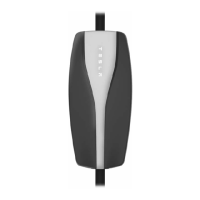
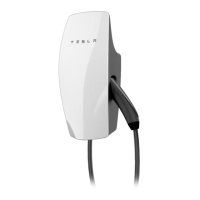
Home connector front panel
The front panel on the Home Connector
has four indicator lights:
• READY - illuminates green to indicate
that the unit is receiving power.
• CHARGING - illuminates amber when a
vehicle is being charged.
To stop charging, push the STOP
button on the bottom of the panel
before disconnecting the charge cable
from the vehicle.
• PROTECTION - illuminates red if a fault
has occurred.
• SERVICE - illuminates red if a fault has
occurred.
Front panel indicator lights
GREEN
READY
LIGHT
AMBER
CHARGING
LIGHT
RED
PROTECTION
LIGHT
RED
SERVICE
LIGHT CONDITION
OFF OFF OFF OFF No service power
ON OFF OFF OFF Home Connector has power
but the vehicle is either not
connected, or has not
requested a charge
ON ON OFF OFF Vehicle is charging
ON Blinking OFF OFF Cold load pick-up mode (see
page 2). To bypass, press the
START button on the Home
Connector’s front panel.
ON OFF OFF ON (Steady) Ground monitor interrupt
ON OFF ON (Steady) OFF Charging fault on vehicle
ON OFF 1 Blink OFF Ground fault on vehicle
ON OFF 2 or more
Blinks
2 or more
Blinks
Service needed. Contact Tesla
Motors.
Home Connector Users Manual.book Page 11 Monday, April 26, 2010 12:38 PM


 To Next Page
 Loading...