Green Lights Red Light What it means What to do
Streaming 3 flashes Charging current is reduced
due to high temperature
detected in the Mobile
Connector controller.
Unplug the Mobile Connector
from the vehicle, and then
plug it back in. Consider
charging in a cooler area, such
as indoors or in the shade. If
the error persists, contact
Tesla.
Streaming 4 flashes Charging current is reduced
due to high temperature
detected in the wall plug.
Make sure the power outlet is
suitable for charging and that
the plug is seated correctly.
Consider connecting to a
dierent outlet. If uncertain,
ask your electrician.
Streaming 5 flashes Charging current is reduced
due to a detected fault in the
adapter.
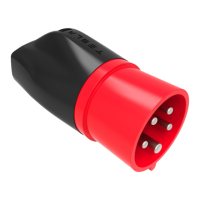
Make sure the Mobile
Connector’s adapter is
attached properly.
O 1 flash Ground fault. Electrical current
is leaking through a potentially
unsafe path.
Unplug the Mobile Connector
from the vehicle and then plug
it back in. Try a dierent
outlet. If the error persists,
contact Tesla.
O 2 flashes Ground loss. The Mobile
Connector detects a loss of
ground.
Make sure the power outlet is
properly grounded. Consider
connecting to a dierent
outlet. If uncertain, ask your
electrician.
O 3 flashes Relay/contactor fault. Unplug the Mobile Connector
from the vehicle and then plug
it back in. Try a dierent
outlet. If the error persists,
contact Tesla..
O 4 flashes Over- or under-voltage
protection.
Make sure the power outlet is
suitable for charging and that
the plug is seated correctly.
Consider connecting to a
dierent outlet. If uncertain,
ask your electrician.
O 5 flashes Adapter fault. Make sure the Mobile
Connector’s adapter is
attached properly.
O 6 flashes Pilot fault. The pilot level is
incorrect.
Unplug the Mobile Connector
from the vehicle and then plug
it back in. Try a dierent
outlet. If the error persists,
contact Tesla..
O 7 flashes Software error or mismatch. Update the vehicle's software,
if available. If an update is not
available, contact Tesla.
Troubleshooting
Troubleshooting 11


 To Next Page
 Loading...