Chapter 8 – Maintenance
TestEquity 115A Temperature Chamber Page 8-7
Troubleshooting
1. If F4 controller light 1A is ON
(F4T left PWR bar is 100%),
circulator fan is ON, circulator fan
is ON, the Heat light is OFF.
2. If the Heat light is ON.
1. Solid State Relay SSR1 is
defective (open).
2. Heat Limiter HL is open.
1. If F4 controller light 1A is OFF
(F4T left PWR bar is 0%).
1. Solid State Relay SSR1 is
defective (shorted).
1. If F4 controller light 1B and
DigitalOut 8 are ON (F4T Cool &
Compressor outputs are ON).
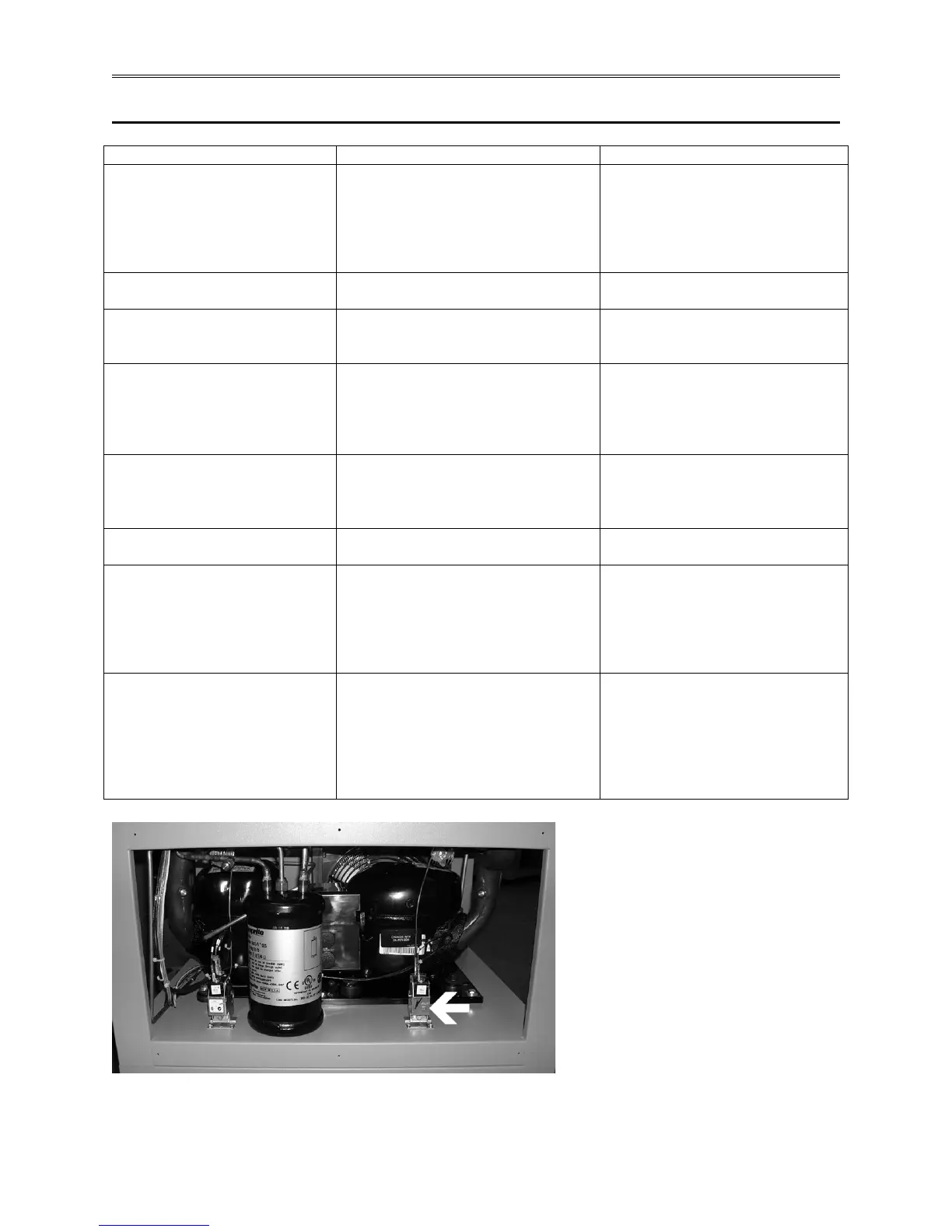
1. Pressure switch PS2 is tripped.
PS2 trips.
1. Trips after operating for a while.
1. Ambient temperature may be
too high (over 90°F). Dirty
condenser, inadequate clearance
from back of chamber to the
1. Does not meet published
specifications with empty chamber
and ambient temperature is not
1. Low charge (leak). Solenoid
valve SV1 is defective (doesn’t
close completely).
Does not cool down at all.
1. Both compressors are running.
1. Low charge (leak). Plugged
capillary tube.
than ±0.5°C or 1°C total.
1. If PID parameters in temperature
controller were changed.
2. If PID parameters in temperature
controller are correct and only
1. Re-enter values as shipped from
TestEquity.
2. Solenoid valve SV2 may be
defective (does not completely
off too frequently.
1. If compressor control parameters
in temperature controller were
changed.
2. If compressor control parameters
in temperature controller are
1. Re-enter values as shipped from
TestEquity.
2. Solenoid valve SV2 may be
defective (does not completely
Figure 8-1 – PS2 Pressure Switch Reset Button (lower rear panel removed)


 To Next Page
 Loading...