5.1 KONFORT 705R..................................................................................23
5.2 KONFORT 705R OFF ROAD...............................................................24
5.3 KONFORT 707R..................................................................................25
5.4 KONFORT 710R / 710L.......................................................................26
5.5 KONFORT 712R..................................................................................27
5.6 KONFORT 720R..................................................................................28
5.7 KONFORT 760R..................................................................................29
5.8 KONFORT 760R BUS..........................................................................30
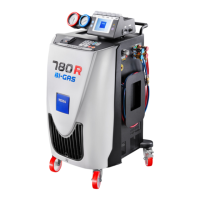
5.9 KONFORT 780R BI-GAS.....................................................................31
6 DESCRIPTION OF 720R / 760R / 760R BUS / 780R BI-GAS..........32
6.1 Front view.............................................................................................32
6.1.1 Control panel/display and top panel.........................................................33
6.2 Right Side View....................................................................................34
6.3 Rear view.............................................................................................35
6.3.1 Containers................................................................................................35
6.4 Left Side View......................................................................................36
7 DESCRIPTION OF KONFORT 705R / 705R OFF ROAD / 707R / 710R /
710L / 712R............................................................................................37
7.1 Front view.............................................................................................37
7.1.1 Control panel/display and top panel.........................................................39
7.2 Right Side View....................................................................................41
7.3 Rear view.............................................................................................43
7.3.1 Standard Bottles.......................................................................................44
7.4 Left Side View......................................................................................45
8 INSTALLATION.................................................................................46
8.1 Unwrapping the Device........................................................................47
8.2 GAS KIT installation.............................................................................47
9 SETTING UP BEFORE USING........................................................49
9.1 Scale Locking/unlocking.......................................................................49
9.2 Moving the Device................................................................................50
9.3 Positioning............................................................................................50
9.4 Connection to the Power Mains...........................................................50
9.5 Entering the SD CARD.........................................................................51
4


 To Next Page