23
THE COMFORT LEVEL INDICATOR:
Comfortable : A happy face icon “J” indicating a temperature level
between 20°C and 25.9°C and relative humidity
reading between 45% and 65%.
Uncomfortable : A sad face icon “L” indicating any value outside the
comfortable range.
TOGGLING AND RESETTING THE INDOOR READINGS:
1. Press the IN key to toggle between the indoor current, MAX/MIN
temperature and humidity data. The time and dates of the recorded
data will also be displayed in the time and calendar sections (for
temperature data only).
Once to show the MAX indoor temperature and humidity data with
the recorded time and date.
Twice to show the MIN indoor temperature and humidity data with
the recorded time and date.
Three times to return to the current displayed values
2. Once the MIN or MAX data is displayed, press and hold the SET
key for 3 seconds to reset the respective MIN or MAX record to
current temperature and humidity data, and current time, date
display.
Note: The MIN or MAX data needs to be reset individually.
WEATHER FORECAST AND WEATHER TENDENCY:
WEATHER FORECASTING ICONS:
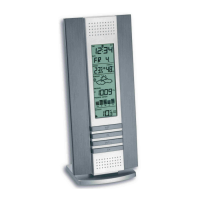
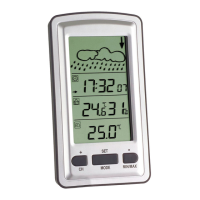
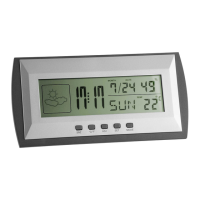
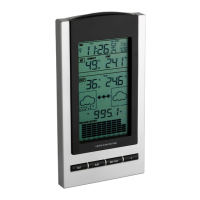
Weather icons in the third section of LCD can be displayed in any of the
following combinations:
Sunny Cloudy with sunny intervals Rainy
For every sudden or significant change in the air pressure, the weather
icons will update accordingly to represent the change in weather. If the
icons do not change, then it means either the air pressure has not
changed or the change has been too slow for the Weather station to
register. However, if the icon displayed is a sun or raining cloud, there will
be no change of icon if the weather gets any better (with sunny icon) or
worse (with rainy icon) since the icons are already at their extremes.
The icons displayed forecasts the weather in terms of getting better or
worse and not necessarily sunny or rainy as each icon indicates. For
example, if the current weather is cloudy and the rainy icon is displayed, it
does not mean that the product is faulty because it is not raining. It simply
means that the air pressure has dropped and the weather is expected to
get worse but not necessarily rainy.
Note:
After setting up, readings for weather forecasts should be disregarded for
the next 12-24 hours. This will allow sufficient time for the Weather station
to collect air pressure data at a constant altitude and therefore result in a
more accurate forecast.
Common to weather forecasting, absolute accuracy cannot be
guaranteed. The weather forecasting feature is estimated to have an
accuracy level of about 75% due to the varying areas the Weather station
has been designed for use. In areas that experience sudden changes in
weather (for example from sunny to rain), the Weather Station will be
more accurate compared to use in areas where the weather is stagnant
most of the time (for example mostly sunny).


 To Next Page
 Loading...