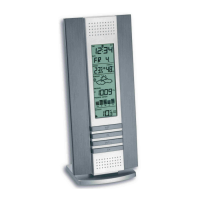
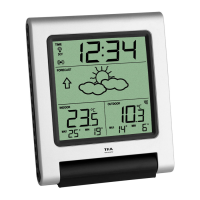
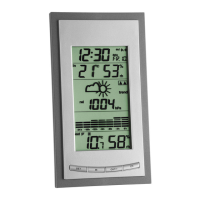
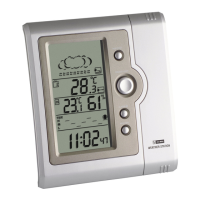
Indoor weather station
8 9
Indoor weather station
Activate / turn off alarm
• To activate / turn off the alarm and/or chime function, press the
ADJ button in alarm mode.
The respective symbol appears or disappears on the display.
• Press any button to stop the alarm.
Snooze function
• Once the alarm starts to ring, you can activate the snooze function
by pressing the SNZ button. The snooze symbol appears on the dis-
play. The alarm will be interrupted for 5 minutes.
MAX / MIN values
• Press the ADJ button in normal mode and the highest temperature
and humidity values are displayed since the last reset.
• Press the ADJ button again, the display shows the lowest values
since the last reset.
• Press and hold the ADJ button to reset the MAX/MIN values to the
present temperature and humidity.
Weather forecast
• The instrument has no atmospheric pressure sensor. The weather
forecast is based on the changes of humidity values.
Care and maintenance
• Clean the instrument with a soft damp cloth. Do not use solvents or
scouring agents.
•
Remove the battery if you do not use the product for a lengthy
period.
•
Keep the instrument in a dry place.
Battery replacement
•
Replace the battery when the display becomes weak or the alarm
level declines.
Troubleshooting
Problems Solution
No indication ➜ Ensure the battery polarity is correct
➜ Change the battery
Incorrect display ➜ Change the battery
Waste disposal
This product has been manufactured using high-grade materials and
components which can be recycled and reused.
Never dispose empty batteries and rechargeable batteries
in household waste.
Operation
• Open the battery compartment and insert the battery (1x 1.5 V
AAA), polarity as illustrated. The unit is now ready to use.
Display mode
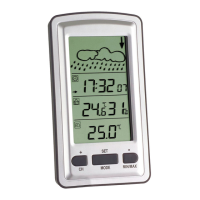
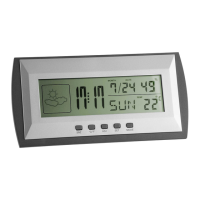
• In normal mode the left row shows the weather symbol, the mid-
dle row the time in hours and minutes and the alarm and/or chime
symbol (in case), the right upper row the date and humidity, the
lower row the day of the week and the temperature.
• By pressing the °C/°F button the temperature unit can be changed
from °C to °F.
• To enter alarm mode, press the MODE button. The alarm time is
displayed.
• To enter calendar mode, press 2 x the MODE button. The year is
displayed.
Setting mode
• Press the SET button for 2 sec. to enter the respective setting mode
and select all settings one after the other.
• When the digits are flashing set the desired time by pressing the
ADJ button. Hold and press the button for a fast count.
A. Setting of the clock
Press the SET button (2 sec.) → Select 12 or 24 hours system
by pressing the ADJ button
Press the SET button → Select Time Hours
by pressing the ADJ button
Press the SET button → Select Time Minutes
by pressing the ADJ button
Press the MODE button → Exit setting mode
B. Setting of alarm
Press the MODE button → Enter Alarm mode
Press the SET button (2 sec.) → Select Alarm time Hours
by pressing the ADJ button
Press the SET button → Select Alarm time Minutes
by pressing the ADJ button
Press the MODE button → Exit setting mode
C. Setting of calendar
Press the MODE button → Enter Calendar mode
Press the SET button (2 sec.) → Select Date Year
by pressing the ADJ button
Press the SET button → Select Date Month
by pressing the ADJ button
Press the SET button → Select Date Day
by pressing the ADJ button
Press the MODE button → Exit setting mode
TFA No. 35.1065 Anleit_11_20 19.11.2020 17:48 Uhr Seite 5


 To Next Page