
 Need help?
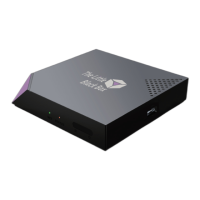
Do you have a question about the The Little Black Box Little Black Box and is the answer not in the manual?
 General
| Brand | The Little Black Box |
|---|---|
| Model | Little Black Box |
| Category | Media Player |
| Language | English |
Lists packaging contents and guides physical connection to TV and power.
Details the function of each button on the remote control for device operation.
Step-by-step guide to connect the device to a Wi-Fi network.
Explains how to navigate the on-screen menu and use navigation buttons.
Adding media sources via UI or context menu, and understanding media types.
Setting content type (Movies, TV Shows) and initiating library scans.
Configuring movie and TV show scrapers, including fanart and ordering.
Methods for scanning, updating, and refreshing media files in the library.
How to search and filter media items within the library for efficient access.
Accessing detailed media information, thumbs, and fanart.
Accessing the top menu for view types and filters on any screen.
Toggling between various display modes like List, Thumbnails, Fanart, and Wall.
Searching, filtering media, and controlling playback actions like resume.
Exploring different visual presentation styles like Slide, Gallery, 3DWall, and Posters.
 To Next Page