— E11 —
Playing Songs from the USB (Continued)
11
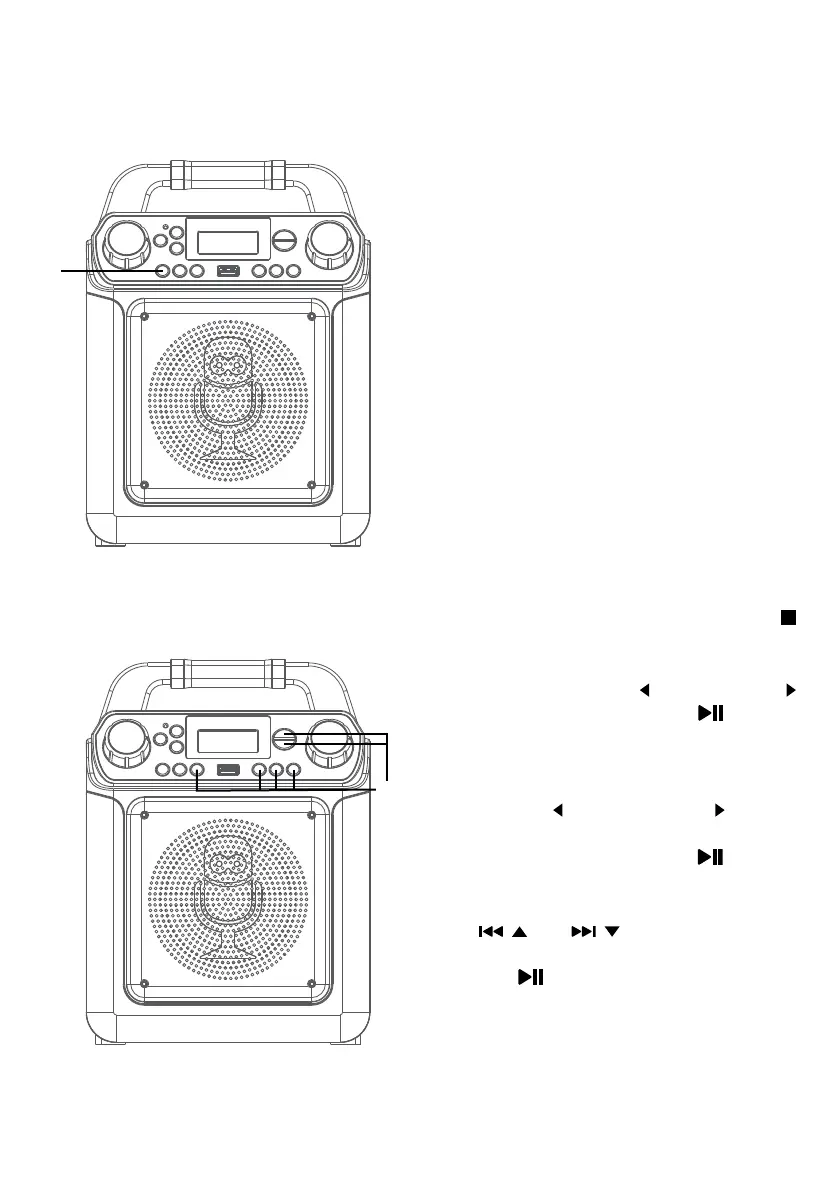
VOCALS: To sing with the lead singer
on the recording, press and hold the
VOCAL/VOICE EFFECTS button. To
listen to music only, press and hold
the VOCAL/VOICE EFFECTS button
again.
NOTE: The song must be downloaded with
separate vocals (aka multiplex recording) in
order to utilize the Lead Vocal function.
12
VOICE EFFECTS: Repeatedly press
the VOCAL/VOICE EFFECTS button
to select from ECHO, FEMALE, MALE,
CHIPMUNK, ROBOT or RADIO vocal
effect. Select OFF to sing without any
voice effect.
13
SEARCHING BY GENRE, ARTIST or
TITLE (Connected to a TV only):
While in the USB menu, press the
button to enter the search mode. “SEA”
will appear in the display. Select search
using the FAVOR/ or PLAYLIST/
buttons, then press the /ENTER
button. The alphabet will appear at
the bottom of the screen. Select
the desired starting letter using the
FAVOR/ and PLAYLIST/ buttons
or rotate the MASTER VOLUME
control, then press the /ENTER
button to select it. A list of songs that
meet the criteria will appear. Use the
/ and / buttons to navigate
through the list of songs, then press
the /ENTER button to play your
selection, or select the next letter the
same way.
NOTE: You can search up to six letters. After
the sixth letter the search will reset.
Operation
am
ak
al















 To Next Page