— E22 —
The Karaoke Store application can be installed on Microsoft Windows computers running
Vista, Windows 7, and Windows 8 or higher. The Karaoke Store application requires
connection to the Internet (a high-speed connection is recommended).
Karaoke Store
PC Installation
1
Insert the USB flash drive (not
included) into a powered USB
slot on your computer.
2
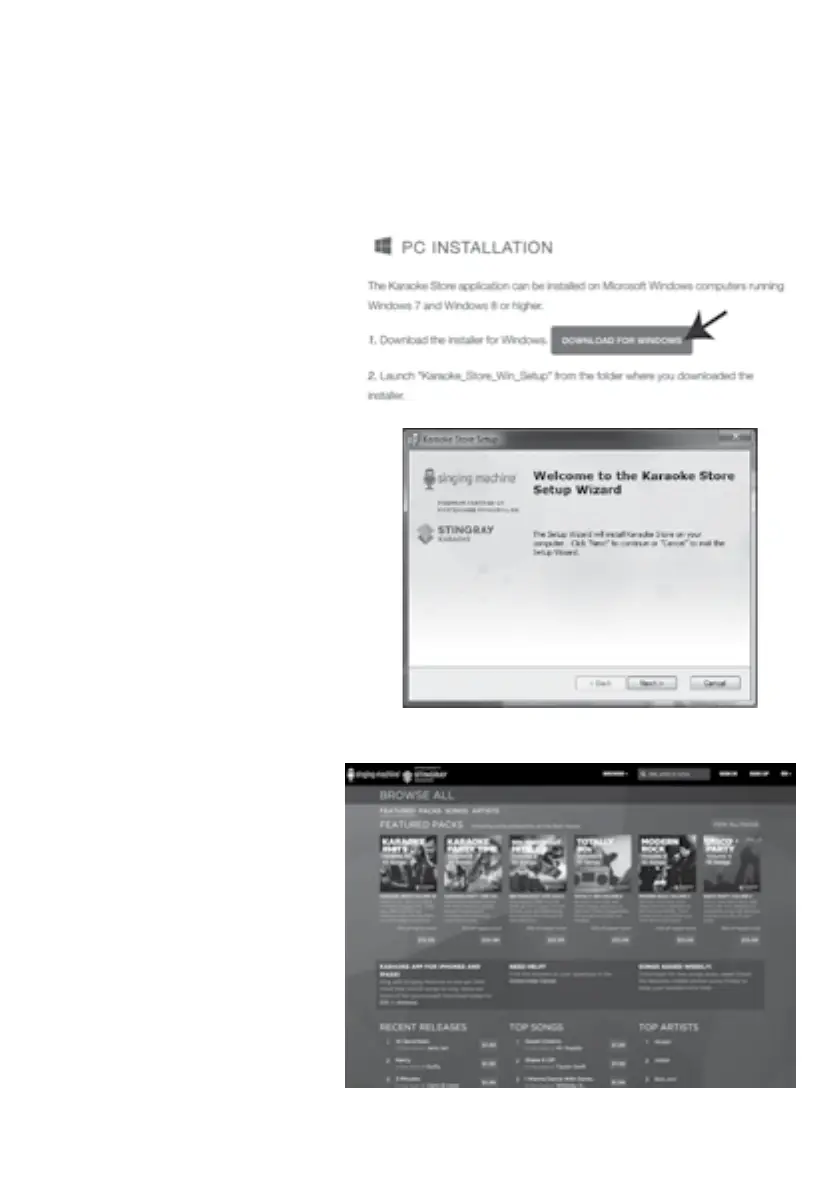
Open your web browser and
go to www.singingmachine.
com/pages/app-install. Click
"DOWNLOAD FOR WINDOWS".
Save the file “Karaoke_Store_
Win_Setup.exe” to your USB
flash drive.
3
Double-click the file named,
“Karaoke_Store_Win_Setup”.
Follow the online instructions
to install the software on your
computer.
4
After installing, open your
Program’s folder and open the
Karaoke Store folder.
5
Double-click “Karaoke Store”
to open the software.
6
On this page you can now sign
up and purchase/download
them to your computer and/
or USB drive for playing on
your new Singing Machine!















 To Next Page