— E19 —
y
Operation
Playing Songs from the Recorded Files (Continued)
5
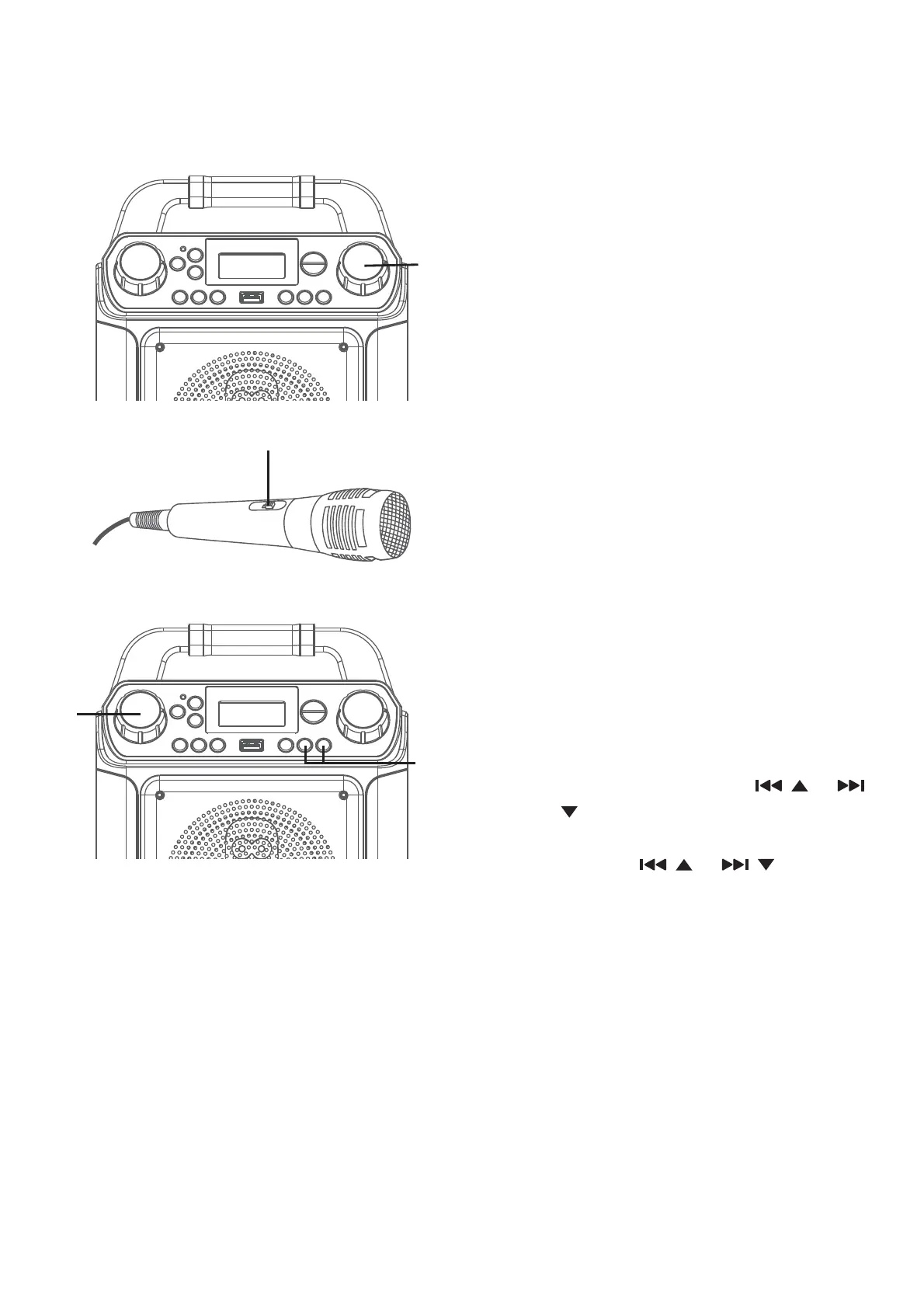
Adjust the volume to a
comfortable level using the
MASTER VOLUME control.
Note: If connected to a TV, adjust the
volume of the TV using its own volume
control.
6
Connect microphone(s) and
slide the ON/OFF switch on the
microphone to the ON position.
7
Adjust the MIC VOLUME control
as desired. Increasing this control
will increase the volume of both
microphones.
8
SKIP: Advance or go back one
track by pressing the
/ or /
button. You can also skip ahead
10 files/tracks simply press and
hold the
/ or / buttons in
stop mode.
V
U
W














 To Next Page