— E21 —
Using the AUX IN Jack (Continued)
6
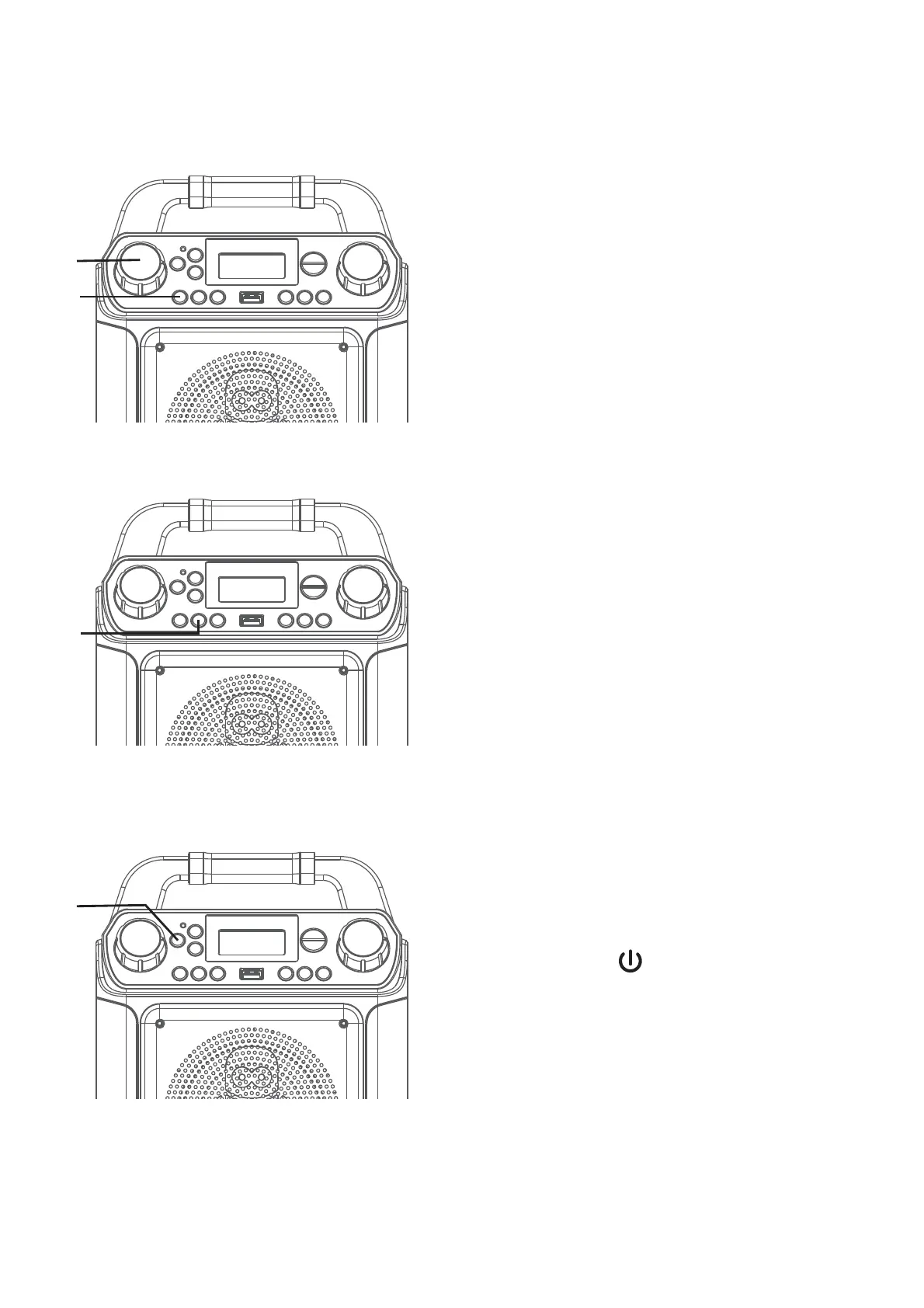
Adjust the MIC VOLUME control
as desired. Increasing this control
will increase the volume of both
microphones.
7
VOICE EFFECTS: Repeatedly press
the VOCAL/VOICE EFFECTS button
to select from ECHO, FEMALE, MALE,
CHIPMUNK, ROBOT or RADIO vocal
effect. Select OFF to sing without any
voice effect.
8
RECORD YOUR VOCAL
PERFORMANCE:
To record your singing as well as
the music, press the REC button;
recording will begin and the record
indicator will start flashing.
When done recording, press the REC
button again; the Record indicator will
turn off.
Notes:
• The recorded audio file will record onto the
USB drive.
• The recorded audio file will be named with
the “LINEIN” prefix.
9
Press the button to turn the unit
off.
U
W
X
V
Operation


 To Next Page
 Loading...










