— 9 —
5
7
7
9
9
8
8
6
Operation
Playing a CD (Continued)
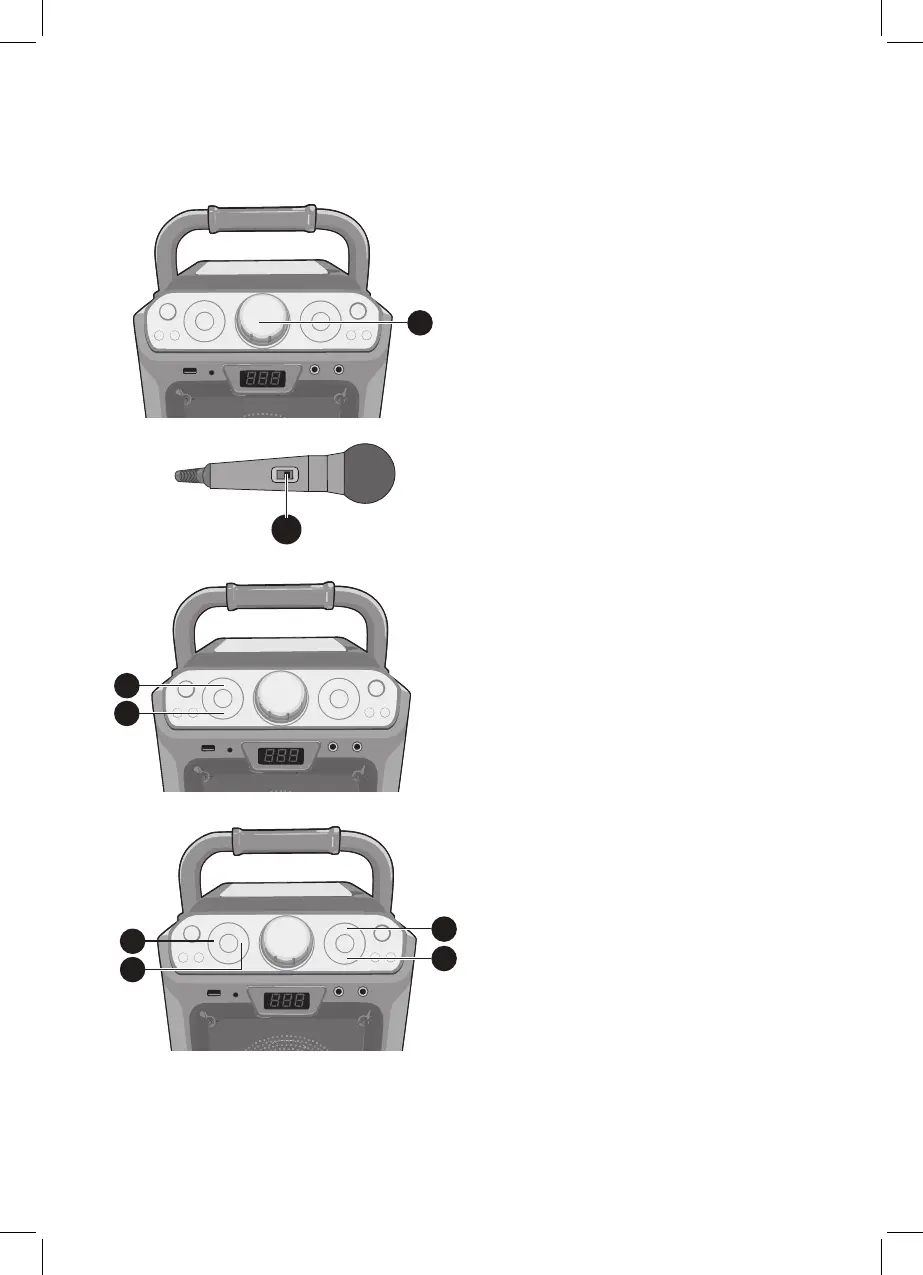
5
Adjust the volume to a comfortable
level using the MASTER VOLUME
control.
Notes:
• Never place anything other than a
CD in the compartment, as foreign
objects can damage the unit.
• If no disc is inserted, “no” will appear
on the display.
• If connected to a TV or other audio
source, adjust the volume of the TV
using its own volume control.
6
Connect microphone(s) as shown
on page 5, and slide the ON/OFF
switch on the microphone to the ON
position.
7
Press the MIC VOLUME + or –
button as desired, which will affect
both microphones.
8
Press the ECHO + or – button
to add
an echo effect to your voice.
9
Adjust the Key using the KEY +/5
and KEY –/ buttons to obtain the
best key for the playing track.



 To Next Page