EasyManua.ls Logo

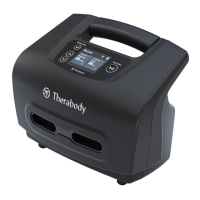
THERAGUN RecoveryAir - User Manual

THERAGUN RecoveryAir
6 pages
Print Icon
To Next Page IconTo Next Page
Loading...
RecoveryAir™ Pneumatic Device
Quick Start Guide
Distributed by: Theragun Inc.,
1515 W. Wardlow Rd. Long Beach, CA 90810
www.therabody.com
Question and Answer IconNeed help?

Do you have a question about the THERAGUN RecoveryAir and is the answer not in the manual?

Summary

Device Components and Controls

Battery Status

Indicates the current battery charge level.

Start;Stop Button

Controls massage function: start, stop, pause, and resume operations.

Status Indicator Lights

Visual cues for device power, massage activity, and error states.

Time Button

Sets massage duration: 15, 30, 45, 60 minutes, or continuous mode.

Pressure Knob

Adjusts massage pressure levels: Light, Medium, or Intense.

Using the RecoveryAir Pneumatic Device

Operation Guide

Step-by-step instructions for setup, connection, and operation.

Charging and Battery Management

Battery Level Indicators

Explains icons for available power: 100%, 75%, 50%, 25%, Almost empty, Empty.

Storage and Transportation

Cleaning Instructions

THERAGUN RecoveryAir Specifications

General IconGeneral
BrandTHERAGUN
ModelRecoveryAir
CategoryMassager
LanguageEnglish

Related product manuals