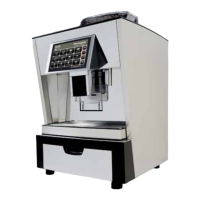
5.1 Error messages mechanical module
5 Mechanical module
Error no. / picture Text Cause Fix
TX0107 Bean hopper empty (left-hand side) - Bean hopper left is empty
- Lock of bean hopper is closed /
not connected
- After grinding, the brew cylinder
moves completely over the x
piston (like in rinse).
- Grinder motor or starting
condenser is defective
- Grinder motor triac on power print
is defective.
- Rell coffee beans in left bean
hopper
- Check grinding position and
powder way
- Check if coffee beans are
grinded
- Check cable connections between
mechanical module - power print
and CPU.
- Check gear belt, gear belt plates
and voltage
TX0113
Piston error - Brew cylinder cannot travel to
desired position
- The gear belt between motor and
drive screw of the brew cylinder
is defective or not mounted
- The way of the brew cylinder is
blocked
- The mobile piston is blocked and
the brew cylinder cannot travel
back to the micro switch
- The brew cylinder cannot travel
over the x piston.
- Try dispensing product again
- Perform a rinse
- Check mechanical module
- gear belt
- brew cylinder
- mobile piston
- micro switch
- x piston
TX0114
Bean hopper empty (right-hand
side)
- Bean hopper right is empty
- Lock of bean hopper is closed /
not connected
- After grinding, the brew cylinder
moves completely over the x
piston (like in rinse).
- Grinder motor or starting
condenser is defective
- Grinder motor triac on power print
is defective.
- Rell coffee beans in right bean
hopper
- Check grinding position and
powder way
- Check if coffee beans are
grinded
- Check cable connections between
mechanical module - power print
and CPU.
- Check gear belt, gear belt plates
and voltage
TX0115
Flow error Too low water ow 1. Open mains water connection
2. Empty grounds drawer
3. Perform rinse
4. Check owmeter
5. Check pump
TX0116
Overtime error Product is not dispensed correctly
because of too low water ow
1. Dispense product again
2. Check owmeter
3. Check pump
TX0119
Powder error Grinders blocked 1. Empty grounds drawer +
vacuum-clean grinders
2. Perform rinse
3. Check mechanical module
TX0139
Bean hopper missing or command
unit open
Bean hopper is not mounted or the
command desk is open
1. Place bean hopper correctly
2. Close command desk
3. Check contacts


 To Next Page
 Loading...