EHB/C Manual TH211118ER1 THINICON
4
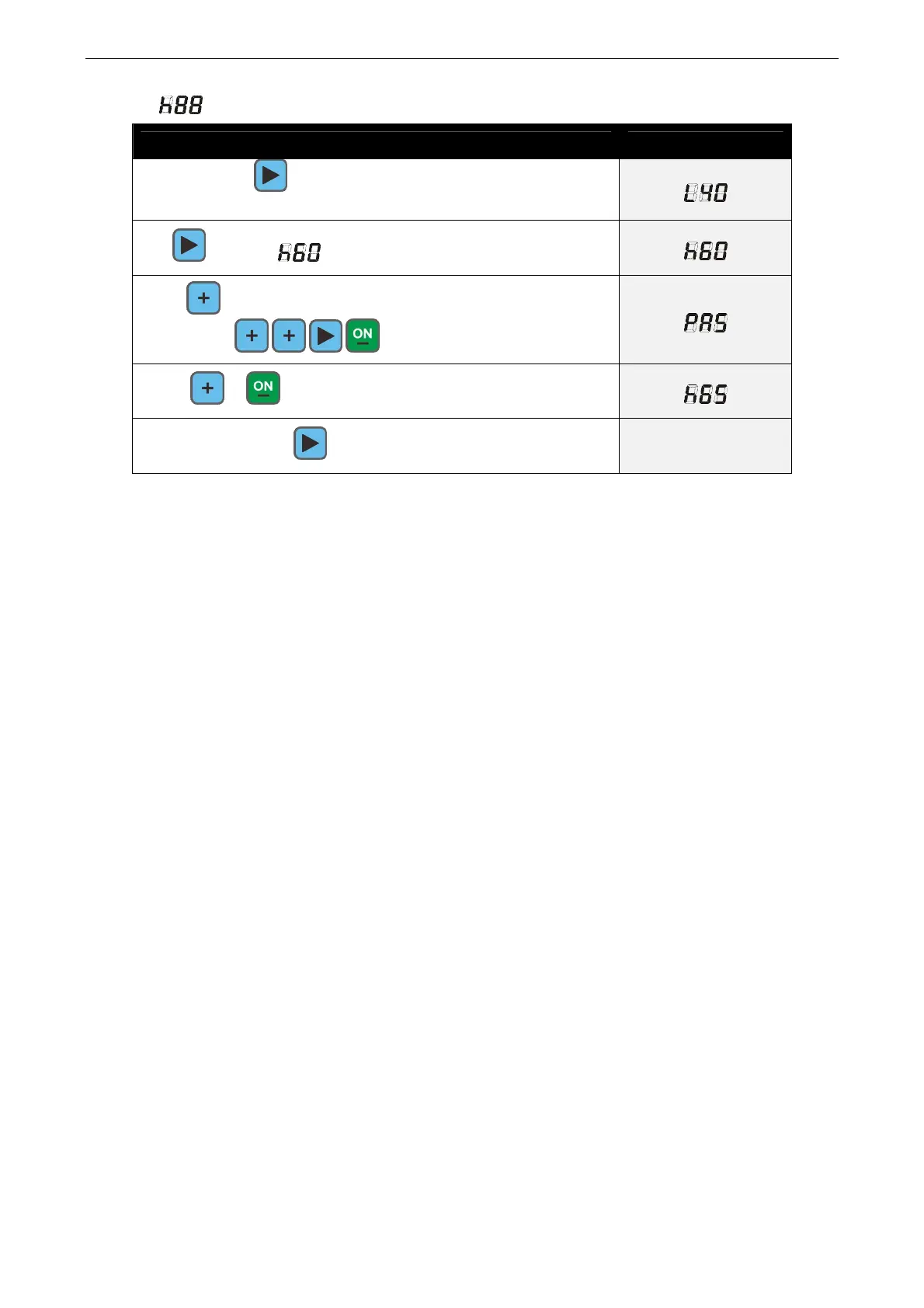
Setting:
Example high limit temperature is 65 ℃
Operation Description
Press and hold 2 seconds to enter into the parameter
setting menu, then displays the low temperature limit:
Tap scrolls to high limit temperature:
Press modify then PASS prompted for a password:
enter 2213( )
Press or can modify the parameters, then displays:
Then press and hold confirm and exit the modification


 To Previous Page