4.4 More
This module provides a variety of functions, including Online Service,
query function, system settings, etc. The following is a brief explanation of
each function to help you quickly understand and use the product.
4.4.1 Settings
System settings for the product host. After the initial setting is completed,
the user can modify or add related information here.
4.4.2 Online Service
Online manual customers provide you with product-related consultation
and services.
4.4.3 User Manual
Electronic manual of the product. If you lose the paper manual, you can
view the electronic version here.
4.4.4 OBD Fault Code Library
If you encounter a fault code that you do not understand during the
diagnosis process, you can check the detailed explanation of the fault
code here.
09
10
4.3 Upgrade
This module supports you to download and update vehicle model software
and maintenance software. And you can delete the software you no longer
use in this module to save memory. The search box is at the top of the
page, through which you can quickly find the software you need.
4.4.5 Coverage List
Check the models and functions supported by this product.
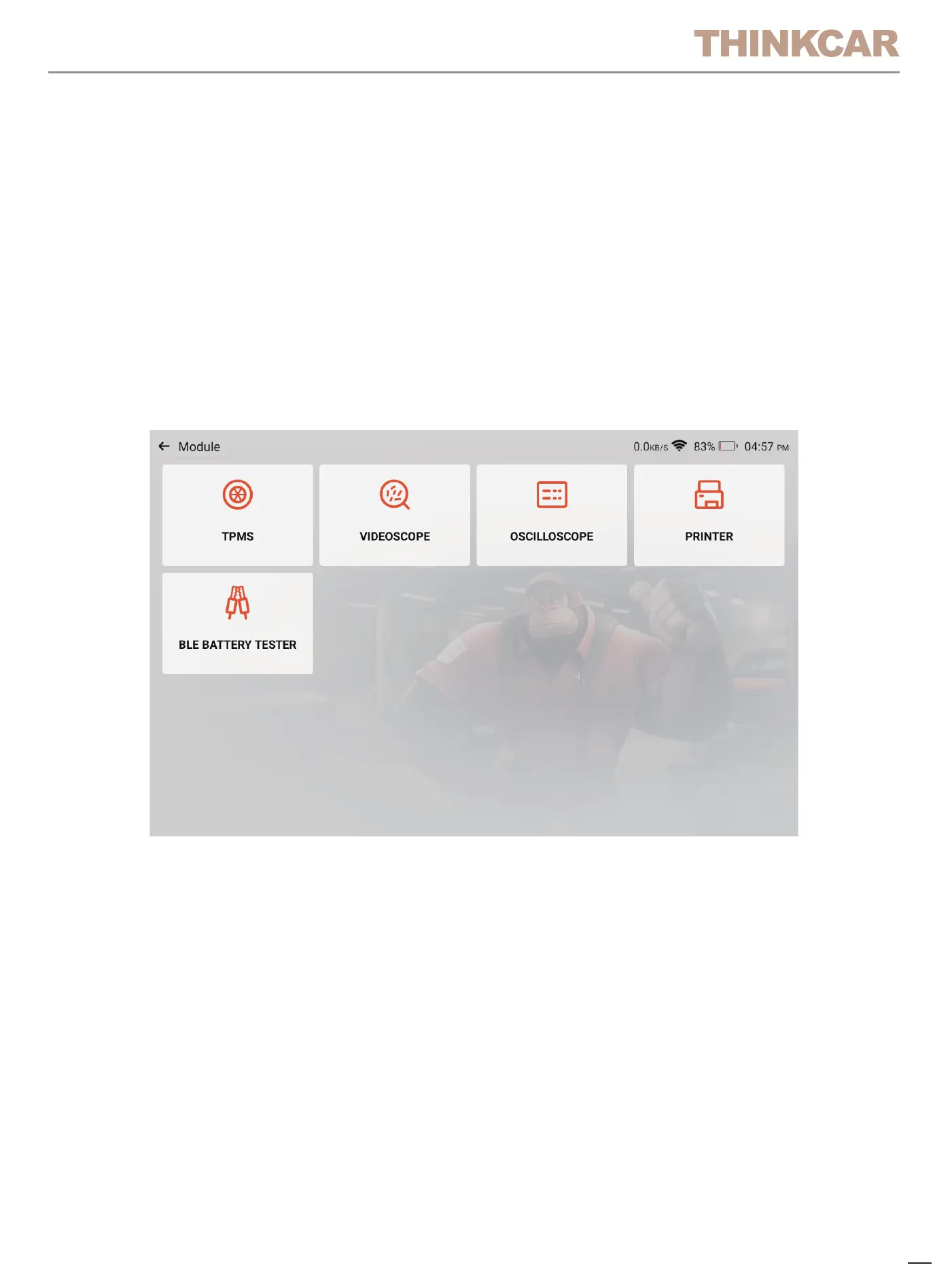
4.4.6 Module
It is the entry to use modular function components. On the screen, you can
find and use functional modules already connected to the host, check
functional modules already bought or buy functional modules needed.
Supports USB printer, USB oscilloscope, USB video scope, Bluetooth
battery tester, tire pressure stick(TPMS), etc.
Tips: These functions are optional.
4.4.7 Feedback
You can feedback the diagnostic software/app bugs to us for analysis and
improvements.
Your submitted questions will be analyzed and provided with solutions by
professionals.
4.4.8 Remote Assistance
Provide service support through the use of remote assistance software.
Different regions can choose different remote assistance software accord-
ing to your needs.Please note that before using the remote assistance
software, please communicate with the staff through the online customer
service to arrange the assistance time so that the technical staff can
provide assistance.


 To Next Page