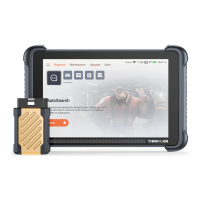
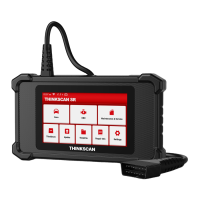
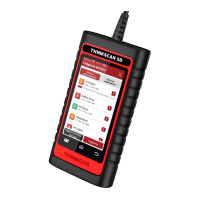
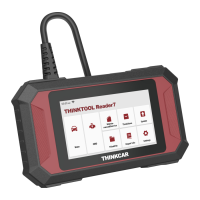
Warranty Terms
This warranty applies only to users and distributors who purchase
THINKCAR products through normal procedures. Provide free warranty
within one year. THINKCAR warranty including electronic products for
damages caused by defects in materials or workmanship. Damages to the
equipment or components caused by abusing, unauthorized modification,
using for non-designed purposes, operation in a manner not specified in
the instructions, etc.are not covered by this warranty. The compensation
for dashboard damage caused by the defect of this equipment is limited to
repair or replacement. THINKCAR does not bear any indirect and inciden-
tal losses. THINKCAR will judge the nature of the equipment damage
according to its prescribed inspection methods.
THINKCAR TECH CO.,LTD.
Customer Service Email: support@mythinkcar.com
Official Website: www.mythinkcar.com
Products tutorial, videos, Q&A and coverage list are available on Thinkcar
official website.
Follow us on
@thinkcar.official @ObdThinkcar
Here we list some common questions and answers related to this tool.
Q: Why does it have no responses when connected to a car computer?
A: Check whether the connection with the vehicle diagnostic seat is
normal, whether the ignition switch is on, and whether the car supports
the tool.
Q: Why does the system stop while reading the data stream?
A: This may be caused by loose connectors. Please turn off the tool,
connect the connector firmly, and then turn it on again.
Q: Why does the host screen flash when the engine ignition starts?
A: It is normal and caused by electromagnetic interference.
Q: How to upgrade the system software?
A: 1. Start the tool and ensure a stable Internet connection.
2. Set up: select "System Version", and then click "Check Version" to
enter the system upgrade interface.
3. Complete the process by following the instructions on the screen
step by step. It may take a few minutes depending on the internet
speed. Please be patient. After successfully completing the upgrade,
the tool will automatically restart and enter the main interface.
Q: How to add function modules?
A: THINKCAR TECH INC offers 5 other functional modules. You can buy
them on the official website or contact dealer.
Q: Why does it have no diagnostic results for my car?
A: This may be caused by the incompatibility of the vehicle model. Please
use the online customer service to inquire whether your vehicle model
is supported.
13
14
Q&A
5
SIMPLIFIED EU DECLARATION OF CONFORMITY
Hereby, THINKCAR TECH CO., LTD. declares that this equipment is in
compliance with Directive 2014/53/EU.
The full text of the EU declaration of conformity is available at the following
internet address:
https://h5.mythinkcar.com/update_app/productcbec


 To Next Page
 Loading...