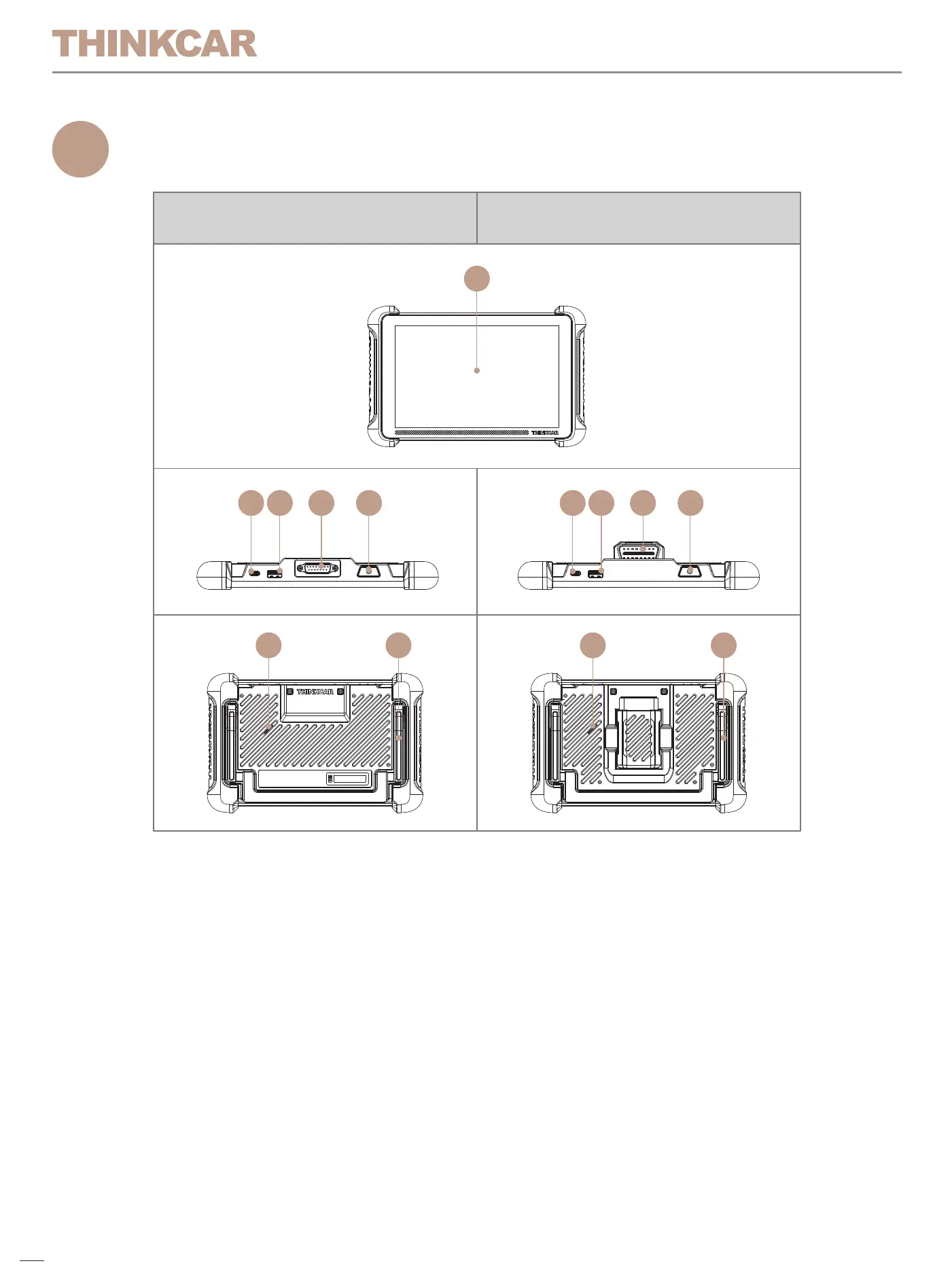
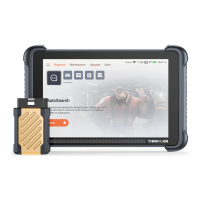
1. Touch Screen: 8 inches touch screen.
2. Charging Port: Type-C charging port for charger or data transmission.
3. USB expansion slot: For connecting USB expansion module.
4. Diagnostic cable interface (TK689): Connect to car OBD port for
diagnosis;
Diagnostic connector (TK689BT): Bluetooth diagnostic connector,
connect to car OBD port for diagnosis.
5. Power/Screen Lock Button: Long press for 3 seconds to turn on or off,
single press to lock/unlock the screen.
6. Loudspeaker: Indicate product connection status and important
information.
7. Bracket: Place the product on the desktop.
Product Overview
1
Technical Specifications
2
How To Use
3
01
TK689 TK689BT
1
6 67 7
2 3 4 5 2 3 4 5
Host Computer
Display: 8" display
Resolution: 1280*800 pixel
Working Environment: 0°C~50°C (32°F~122°F )
Storage Environment: -20°C~60°C (-4°F~140°F )
Model TK689:
Working voltage:9~18V
Working current: ≤1.2A
Model TK689BT:
Working voltage:5V
Working current: 2.5A
Thinkscan VCI
Model TK689BT:
Working Voltage: 9~18V
Workding Current: ≤130mA
Working Environment: 0°C~50°C (32°F~122°F )
Storage Environment: -20°C~60°C (-4°F~140°F )
Data Link Connector (DLC) Location
The DLC (Data Link Connector or Diagnostic Link Connector) is typically a
16 pin connector where diagnostic code readers interface with the
vehicle’s on board computer. The DLC is usually located 12 inches from
the center of the instrument panel (dash), under or around the driver’s side
for most vehicles. If Data Link Connector is not located under dashboard,
a label should be there telling location. For some Asian and European
vehicles, the DLC is located behind the ashtray and the ashtray must be
removed to access the connector. If the DLC cannot be found, refer to the
vehicle’s service manual for the location.
Connect the THINKSCAN host computer with your vehicle through the
OBDII port/diagnostic connector. Usually, the OBD port is located under
the dashboard, above the pedal on the driver’s side. The five locations
shown in the picture are common OBDII port locations.
02


 To Next Page