HOW TO OPERATE
REHEAT BUTTON
To warm cold toasted bread, insert the slices into the toaster slots and select
your preferred browning level using the control knob. Lower the lever until it clicks
into position and then press the REHEAT button. The button's indicator will light
up, indicating the reheating process has begun. During this mode, the toaster's
timing is set, and the lever will pop up automatically once reheating is complete.
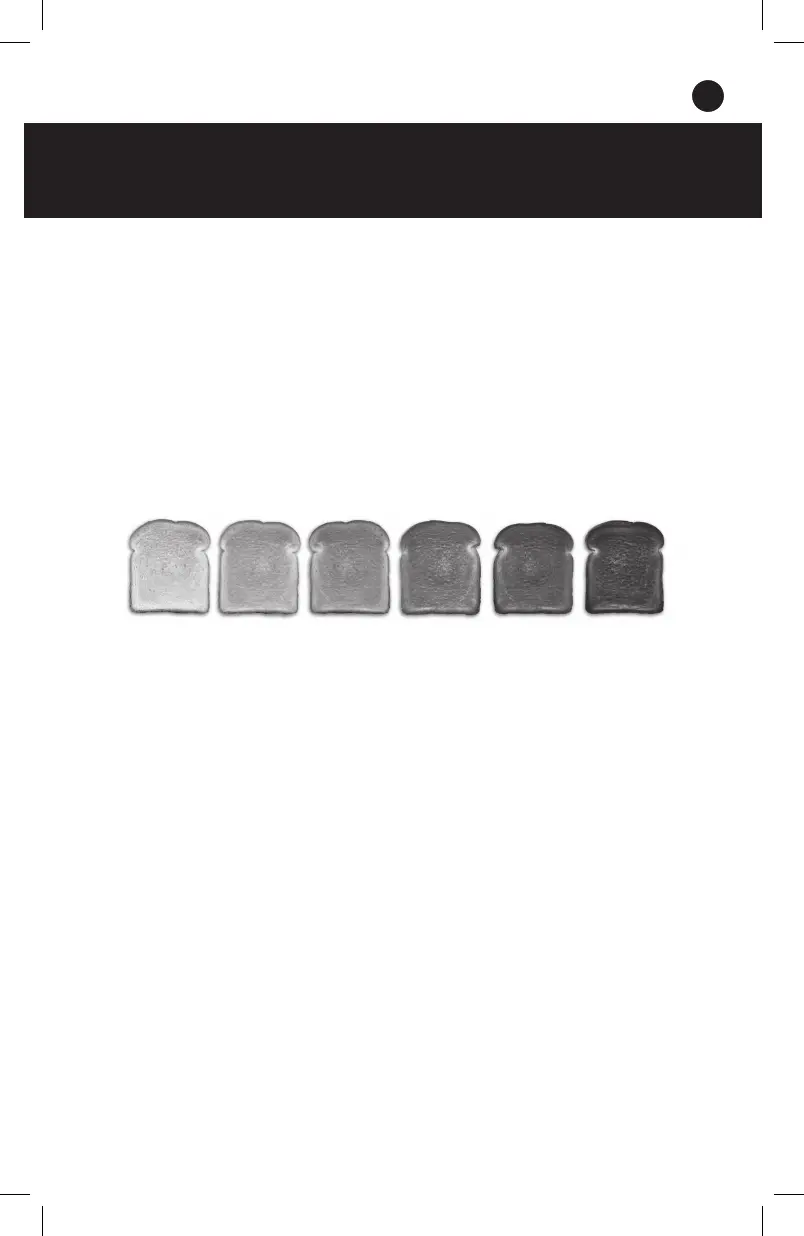
CONTROL DIAL
Six heating levels give you precise toasting results. Simply select your desired
browning level from the chart below.
TIPS & TRICKS
• If the bread is too small to be
removed from the Toasting Slot,
gently push the Carriage Control
Lever up and then remove the
toasted bread. If you still cannot
carefully take out the bread, unplug
your Toaster and use thin heat-
resistant tongs to remove the bread
from the Toasting Slot.
• Do NOT touch the metal parts as
they will be hot!
• For pop tarts or frozen wafes, toast
as directed.
• ONLY toast food that is meant to be
toasted in a slot toaster.
• If the Toaster jams, the bread might
be too thick.
• Remove the bread from the Toaster
and slice it thinner.
11


 To Next Page