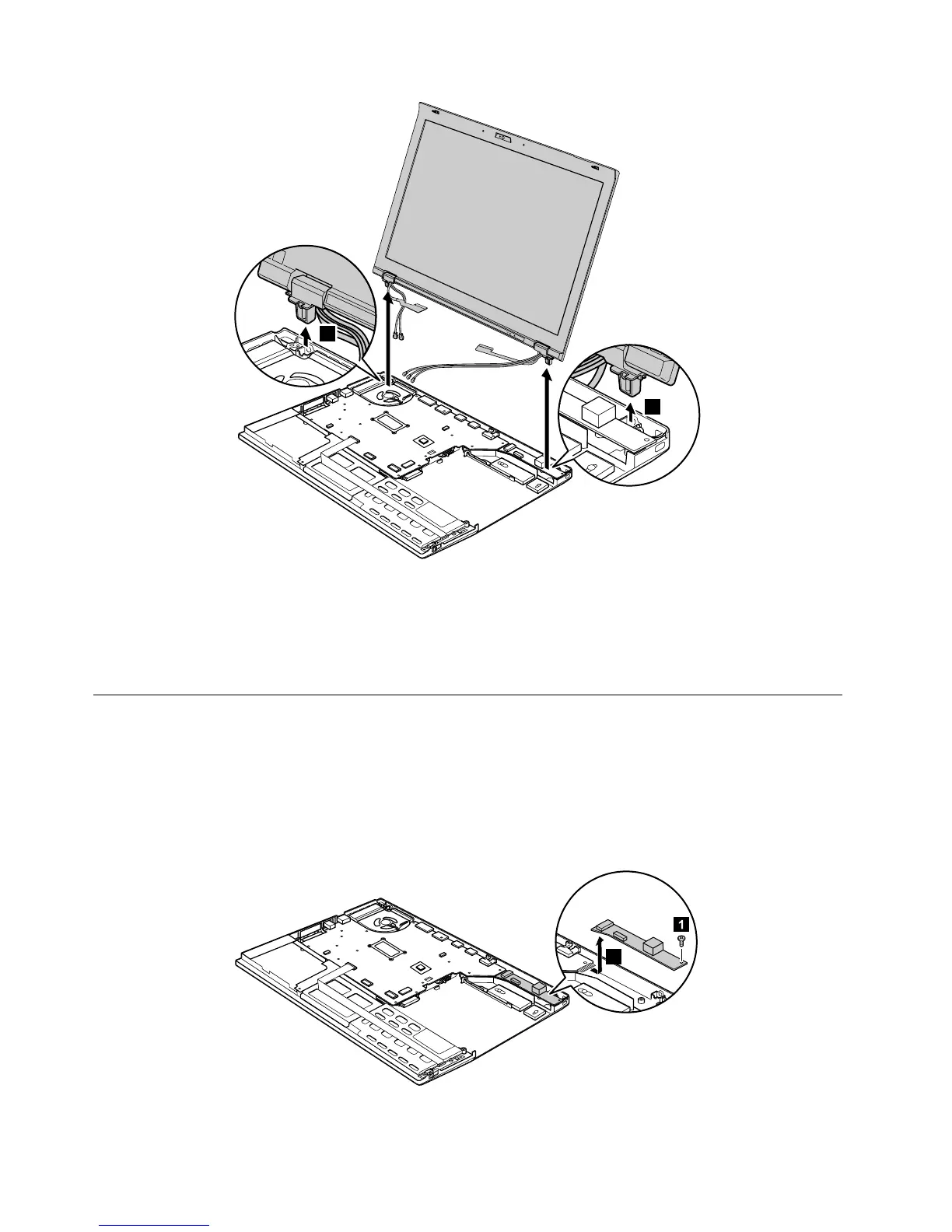
Wheninstalling
•Makesurethatyouroutethecablesfirmlyandtapeupintheproperpositionsasshowninthefigureabove.
•Whenyouroutethecables,makesurethattheyarenotsubjectedtoanytension.Tensioncouldcause
thecablestobedamagedbythecableguides,orawiretobebroken.
1120DC-insubcard
Foraccess,removetheseFRUsinorder:
•“1010Batterypack”onpage68
•“1080Keyboard”onpage80
•“1100Palmrestwithfingerprintreader,smartcardreader,andspeaker”onpage84
•“1110LCDunit”onpage88
RemovalstepsofDC-insubcard



 To Next Page