20
© Third Dimension Confidential Document D13-1604-OP-EN-3.3
V7.5
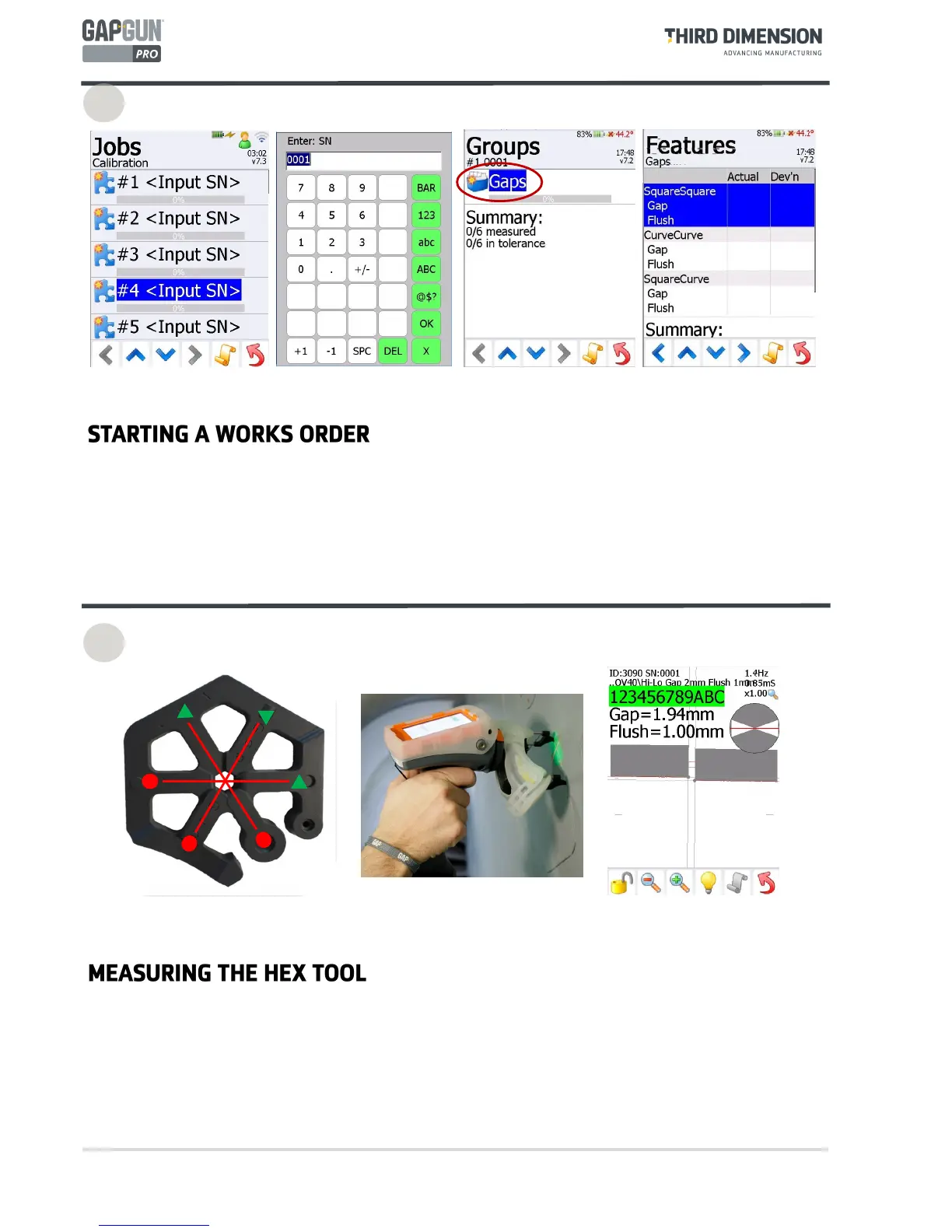
By default, a Works Order gives a list of five Jobs to perform. This allows you to make measurements on five
separate parts (or five times on the same part.) For each Job just pulling the trigger will take you through the
menus in the right sequence.
Pull the trigger to enter the selected Job.
Enter the serial number of the part to be measured in this Job.
There is only one group in our checkplan so select this Group.
Pull the trigger to measure each Feature using the following steps.
The measurements must always be made in the same orientation so that the sign of the flush is the same.
When measuring as shown the flush will be negative, but when measured the other way round it will be
positive.
Take the measurement as described in the operator manual.
The GapGun will display the dimensions of the gap and flush measured. If the GapGun reports ERR11 then
the wrong tool is being used, ERR13 indicates that the GapGun is no being held stably enough to get good
images.
11
12



 To Next Page