22
© Third Dimension Confidential Document D13-1604-OP-EN-3.3
V7.5
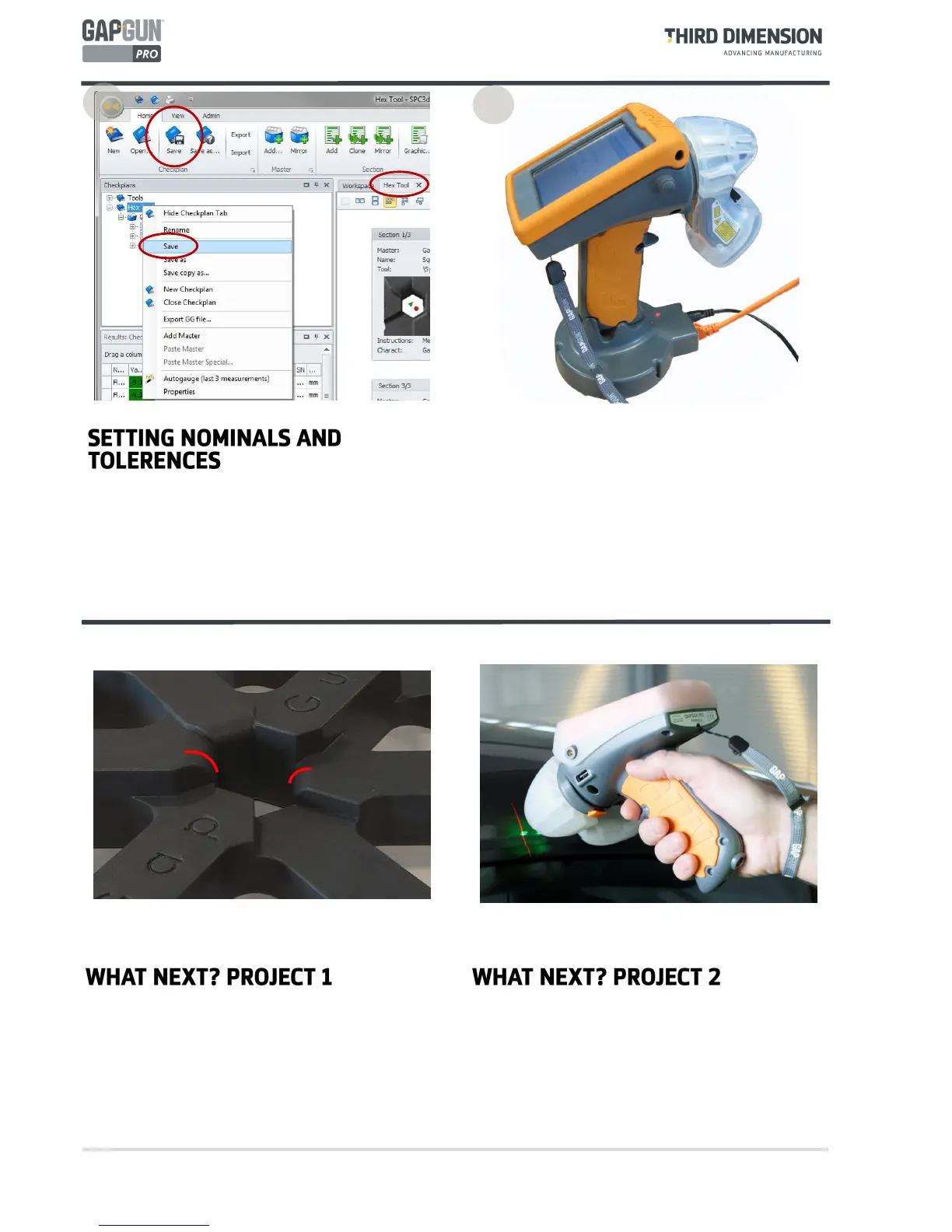
Now the Checkplan has the nominal and tolerance
values set, the Checkplan is ready for use.
Select the Checkplan workspace and then save the
Checkplan or right-click the Checkplan name and select
Save.
16
To use the new Checkplan open it in SPC3D, place the
GapGun onto the Docking Station and download it or
connect to Wi-Fi and download it wirelessly.
Measure the Hex Tool against the nominals and
tolerances defined, and upload the measured data to
SPC3D.
17
Create a Checkplan to measure the radius on the
rounded gap by experimenting with different tools to
see what they do.
Right click on one the rounded gap Feature and select
Properties, then change the Link combo box to try
different ways of measuring.
Use the techniques described to measure another
object such as a car body, or an airframe.. The
principles are the same.


 To Next Page