EasyManua.ls Logo

ThL T200 - Calls Making; Making Calls and Searching Contacts; Photos or Videos; Capturing Photos and Videos

ThL T200
6 pages
Print Icon
To Next Page IconTo Next Page
To Previous Page IconTo Previous Page
Loading...
Calls Making
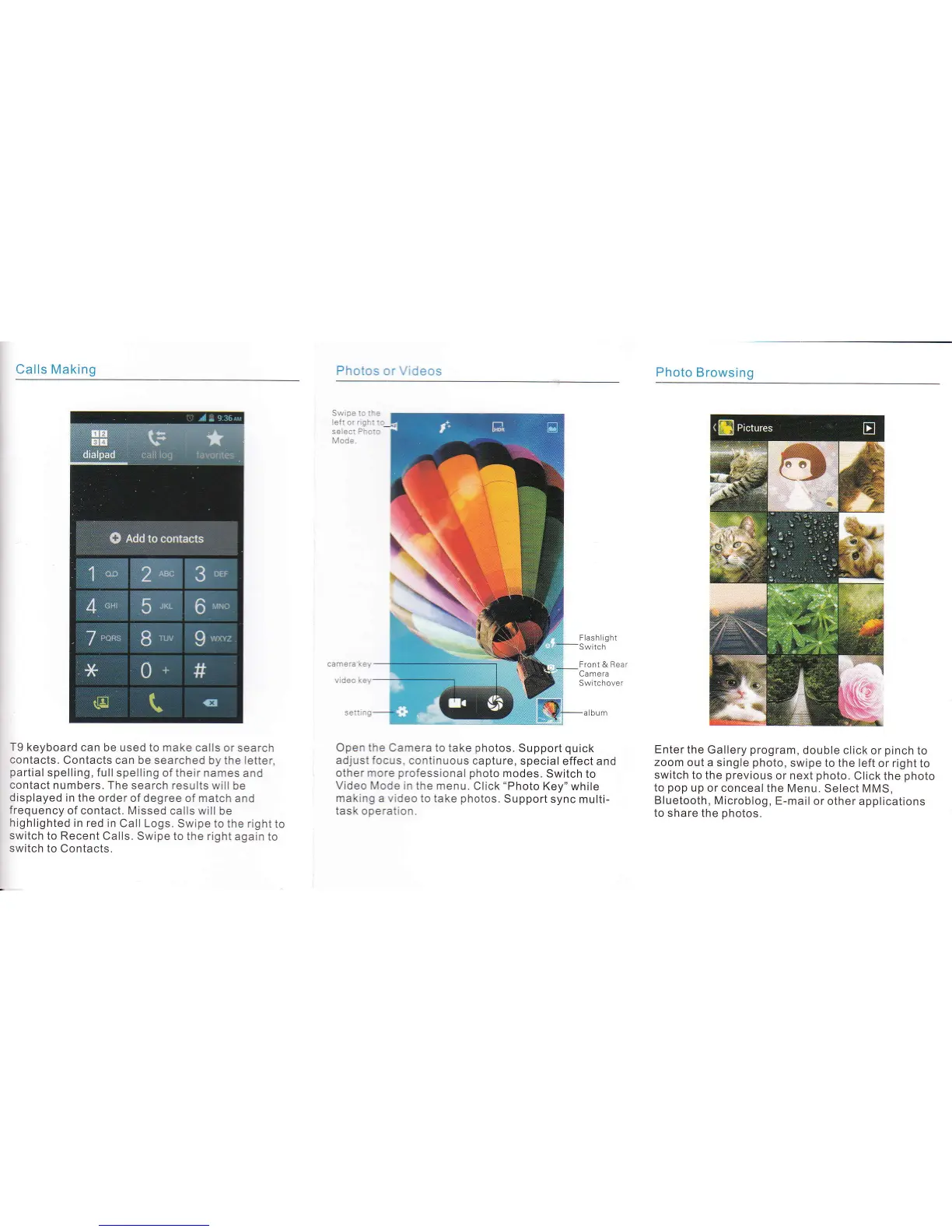
T9 keyboard
can be used to make calls
or search
contacts.
Contacts can
be searched by the letter,
partial
spelling,
fullspelling
of their names
and
contact
numbers. The search
results will be
displayed
in the
order of degree of match
and
frequency
of contact. Missed
calls will be
highlighted
in red
in Call Logs.
Swipe to the right
to
switch
to Recent
Calls. Swipe to the right
again to
switch
to Contacts.
Open the
Camera to take
photos.
Support
quick
adjust focus, continuous
capture, special
effect and
other more
professional
photo
modes.
Switch
to
Video Mode in the
menu. CIick
"Photo
Key" while
making
a
video
to take
photos.
Support
sync multi-
task operation.
Photo
Browsing
Enter the
Gallery
program,
double click
or
pinch
to
zoom out
a single
photo,
swipe to the left
or right to
switch to the
previous
or next
photo.
Click the
photo
to
pop
up or conceal
the Menu. Select
MMS,
Bluetooth, Microblog,
E-mail
or other applications
to share
the
photos.
Photos
or Videos
Flash ll
g
ht
Switch
Front & Bear
Camera
Sw tchover