3
6.1.2 Powering the antenna with the set-top box or
digital TV (Fig. 3)
• Connect the coaxial cable that is attached to the anten-
na with the antenna input on the set-top box or digital
television.
• Ensurethat the power supply for the antenna is activated on
the set-top box or digital TV.
• Move the switch (2) all the way to the left to the “Ant”
position. The LED (5) lights up red.
• Check the reception quality.Ifthe reception quality is not
good, adjust the position or angle of the antenna. Depending
on the station, the amplier performance must be adjusted
using the dial (3) on the back.
• Switch off the antenna when it is not in use. To do this, move
the switch (2) to the middle position.
Note
Powering the antenna directly from the set-top box or
digital TV requires asupply voltage of 5V.NoUSB cable or
power supply unit is necessary.
6.1.3 Setting up the antenna on atable, cabinet or
similar
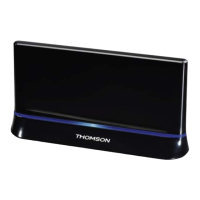
Next, place the antenna on an even surface such as atable
or entertainment stand. Check the reception quality.Ifthe
reception quality is not good, adjust the position or angle of
the antenna.
6.2 TV simulator /mood light
Note
• The LEDs in the device alternately light up blue, red,
green, and white.
• This is asimulation device. This product is not suitable
for lighting rooms in domestic households. The primary
purpose of the light is not illumination but rather to simu-
late the light coming from atelevision set.
• While using the TV simulator does not affordprotection
from break-ins, vandalism or similar,itmisleads intruders
and vandals to think that someone is home and watch-
ing television.
Youhave achoice of four different modes. Move the switch (2)
all the way to the right to the “Sim” position. Select amongst
the different modes by pressing the SET button (6).
• Red mood light: Press SET button once
• White mood light: Press SET button twice
• Blue mood light: Press SET button three times
• TV simulator: Press SET button four times
• After 7hours, the TV simulator automatically switches off.
• OFF: Press SET button ve times
7. Careand Maintenance
Only clean this product with aslightly damp, lint-free cloth and
do not use aggressive cleaning agents.
8. Warranty Disclaimer
Hama GmbH &CoKGassumes no liability and provides no
warranty for damage resulting from improper installation/
mounting, improper use of the product or from failureto
observe the operating instructions and/or safety notes.
9. Service and Support
Please contact Hama Product Consulting if you have any
questions about this product.
Hotline: +49 9091 502-115 (German/English)
Further support information can be found here:
www.hama.com
10. Recycling Information
Note on environmental protection:
After the implementation of the European Directive
2012/19/EU and 2006/66/EU in the national legal
system, the following applies: Electric and electronic
devices as well as batteries must not be disposed of
with household waste. Consumers areobliged by law to return
electrical and electronic devices as well as batteries at the end
of their service lives to the public collecting points set up for
this purpose or point of sale. Details to this aredened by the
national law of the respective country.This symbol on the
product, the instruction manual or the package indicates that a
product is subject to these regulations. By recycling, reusing the
materials or other forms of utilising old devices/Batteries, you
aremaking an important contribution to protecting our
environment.
11. Declaration of Conformity
Hereby,Hama GmbH &CoKGdeclares that the radio
equipment type [00131943] is in compliance with
Directive 2014/53/EU.The full text of the EU
declaration of conformity is available at the following internet
address: www.hama.com -> 00131943 -> Downloads.


 To Next Page