Using the USB/SD input
1.
2. MODE
3. press the
/ to select track.
4. Press the VOL+/VOL– to adjust the volume.
Remarks:
• USB port is easy to sensitive equipment, will cause the equipment work is not stable.
Bluetooth Mode
A. Pairing with a Bluetooth cell phone
Please make
sure
your cell phone is Bluetooth-enabled. Specic pairing steps may vary with different
cell phones. Please refer to the user manual of your cell phone for further information. The general
pairing steps are as follows:
1. Keep and Bluetooth cell phone within 1 meter when pairing.
2. Press button, and press the MODE to select the Bluetooth mode.
3. Switch on your cell phone’s Bluetooth function and search for Bluetooth devices. After the search
is completed, select “ ” from the Bluetooth device list.
4. According to indication, enter password or PIN No: “0000” and press “Yes” or “conrm”.
5. After successful pairing, select “ ” from the Bluetooth device list and press
“connect”.
B. Pairing with a Bluetooth stereo transmitter
Different Bluetooth transmitters have different pairing ways. Please refer to the user manual of your
Bluetooth transmitter for further information. The general pairing steps are as follows:
1. Keep SB250BT/SB255BT and Bluetooth transmitter within 1 meter when pairing.
2. Press
button, and press the MODE to select the Bluetooth mode.
3. Switch on your Bluetooth transmitter and let it enter pairing mode.
4. The
transmitter
will search and connect with SB250BT/SB255BT automatically. After successful
connecting, the Bluetooth voice will change when connected successfully.
Remarks:
• SB250BT/SB255BT will return to pairing mode automatically after disconnecting from a Bluetooth
device.
C. Music Playback
Connecting with a A2DP cell phone or Bluetooth transmitter.
1. Connect your cell phone or Bluetooth transmitter with SB250BT/SB255BT.
2. You can listen to your music from SB250BT/SB255BT now when playing it back.
3. Press Vol+ to turn up the volume, press Vol- to turn down the volume.
4. Press
to skip to the previous song.
5.
Press to skip to the next song.
Auxiliary Input RCA (Requires an RCA cable)
1. Connect
an RCA cable to the Auxiliary Input. Connect the other end of the RCA cable to the audio
output on your DVD player, stereo system, gaming system or television.
2. Press the power button to turn the unit on.
3. Press the MODE button to switch to Aux In mode.
4. Use the controls on the connected device to begin playing audio routed through the unit.
- EN 6 -
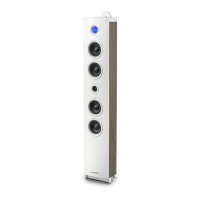
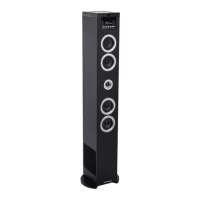
SB250BT/SB255BT
SB250BT/SB255BT
SB250BT/SB255BT
Plug your USB ash drive or SD card to the USB socket or SD slot.
Press button
to select USB or SD mode, the unit can play automatically. If not, press
.


 To Next Page
 Loading...