EN-11
2. C
lose the top cover of the beertender.
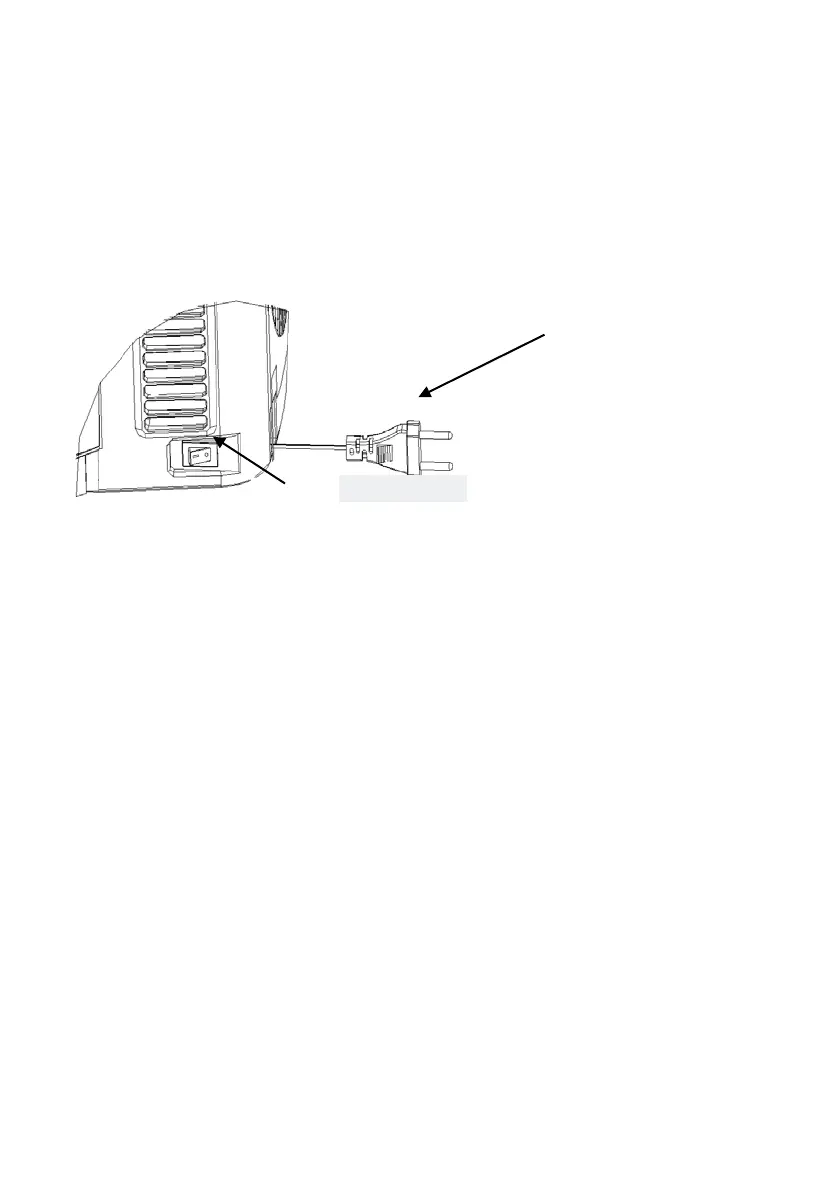
3. Turn on the beertender by putting the switch into “I” position. (Power off
at “0” position) (Figure 13)
Note: Make sure your hands are dry when you use the beertender
.
Figure 13
4. It takes 19-21 hours to cool the beet to 3-6°C at a surrounding
temperature of 22-24°C. You can shorten the cooling time by pre-cooling
the keg in advance.
5. Temperature can be pre-set by pressing the buttons (+ and – next to the
temperature display) on the front panel. The temperature can be set from
2°C to 12°C (36°F to 54°F).
There are 6 pre-set temperatures. The LED shows the real temperature of
the beer. The temperature can be set by pressing “+” button by 1 second.
It will show the set temperature for 3 seconds and re-show the actua
l
t
emperature of the beet.
By pressing and holding the “-“ button, you can choose a certain preset
temperature: 4°C (40°F), 8°C (46°F), 9°C (48°F), 10°C (50°F), 11°C (52°F) and
12°C (54°F) by press the “-“ button.
Pressing and holding “+” button can change the temperature unit
between °C and °F.
The beertender has a memory function. It will keep the same temperature
s
et last time when you turn on the beertender.
1.Plug in the power supply
.The switch is off


 To Next Page