- EN 18 -
Features and operation
Connection:
1. Connect the external power adapter to the appropriate outlet.
2. Connect the device to a suitable socket.
3. Turn on the turntable using the ON/OFF button.
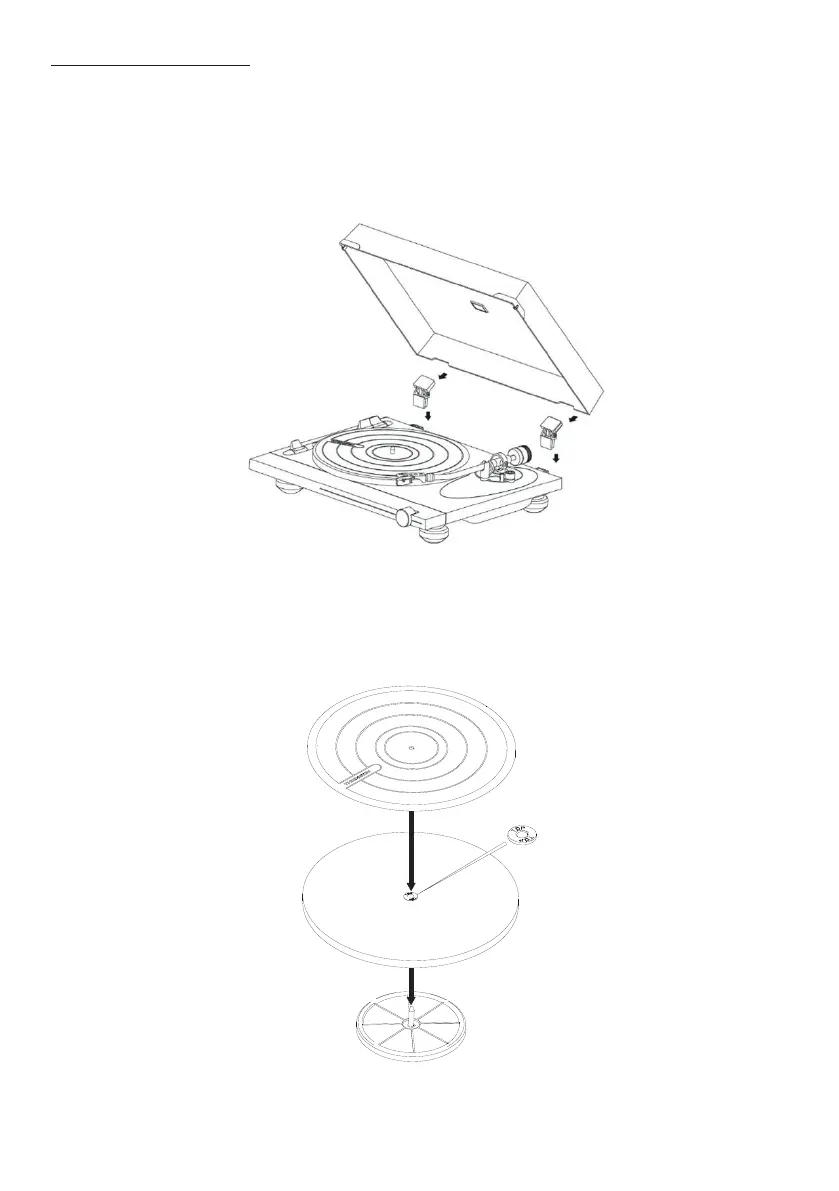
4. Inall the du cover on the hinges at the top of the unit.
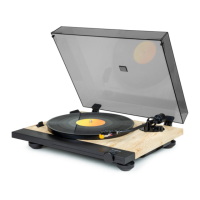
Inall the platter on the central axis:
1. Attach the platter to the platform.
2. Place the side of the platter marked "top" near the opening at the top.
3. Place the vinyl mat on the turntable platter.
• Insert the headshell into the end of the tone arm, then tighten the lock nut, rmly holding
the headshell horizontally.


 To Next Page