4BOOSTER CELL
S:t Persgatan 23, 602 33 Norrköping Sweden
contact@thor-zone.com thor-zone.com
THOR ZONE
OUT
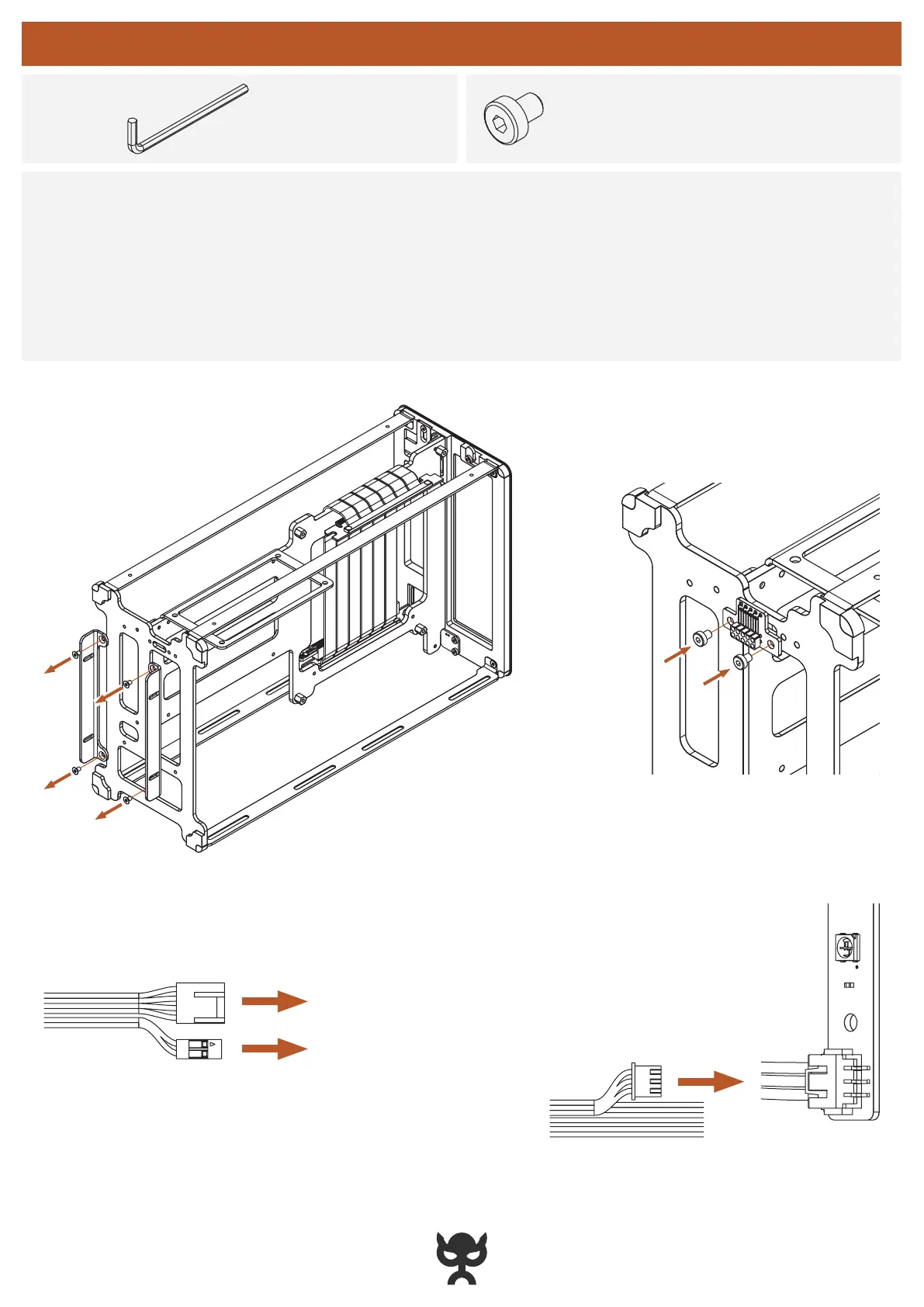
POWER OR RESET SWITCH
PWM FAN HEADER
1.
Remove the original storage frames and screws
2.
Attach the BC Link to the Core and secure it with two M3x4 screws
3.
Connect the BC Link 2-pin connector (Booster Cell front button)
NOTE:
Configure as either a power button or reset switch
4.
Connect the BC Link 4-pin connector to a fan header on your motherboard
•
Connect the BC Link 3-pin connector to one of the OUT-ports on your LED strips
NOTE: MJOLNIR R ONLY
INSTRUCTIONS
2x
M3x4
SCREWS
•
Hex key (size: H2.0)
TOOLS
INSTALL BOOSTER CELL — CORE



 To Next Page