ADJUSTING THE PEDAL SET
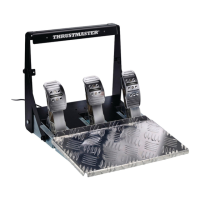
Each of the three pedals includes:
- A metal head (8) with multiple perforations (nine for the accelerator – six for the brake – six for the
clutch).
- A plastic head support (7) (placed between the head and the arm) with four perforations.
- A pedal arm (6) with two perforations.
ATTENTION: To avoid any calibration problems, be sure to always disconnect your wheel’s
USB cable from the console or PC befor e making any adjustments to your pedal set.
Adjusting the HEIGHT of the accelerator pedal
- Using the included 2.5 mm Allen key (4), unscrew the two screws holding the metal head (8) and
its support (7) in place.
- Select your preferred height position, then replace and re-tighten the screws so that the metal
head (8) and its support (7) are held firmly in place.














 To Next Page

