PC
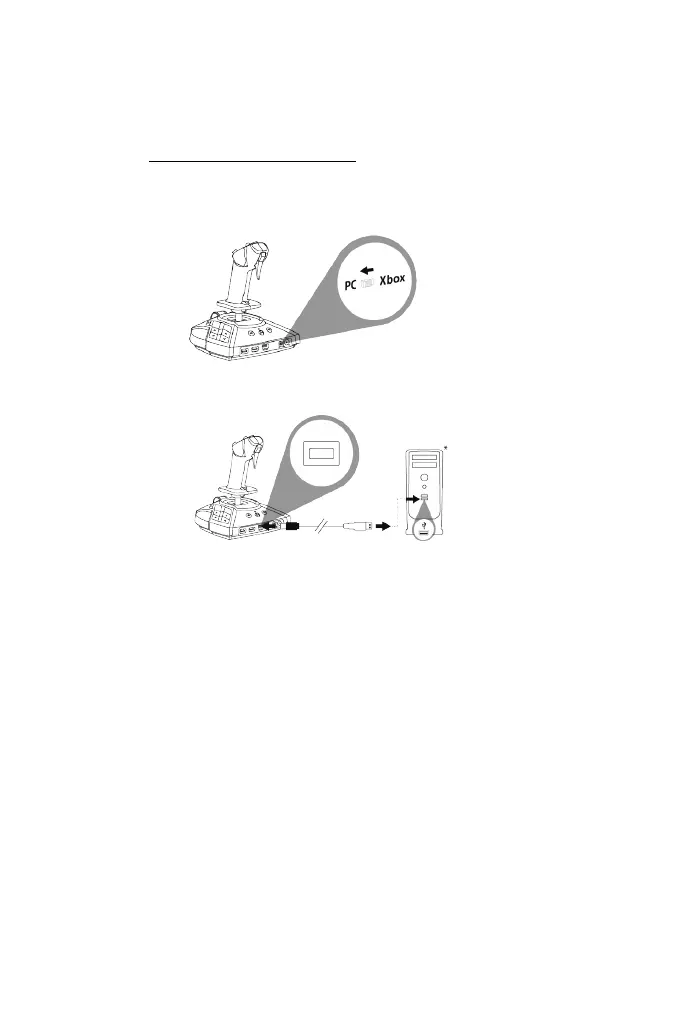
INSTALLATION ON PC*
1. Go to https://support.thrustmaster.com. Click Joysticks / TCA Sidestick X
Airbus Edition, and select Drivers. Download and install the PC driver and its
customized interface for the Windows Control Panel.
2. Set the selector switch (14) located at the back of the joystick to the PC position.
3. Connect the USB-C — USB-A cable (8) to the Type-C USB port (16) on the joystick,
and to a Type-A USB port on the PC*.
4. Start up a compatible game supporting HID flight peripherals.
You are now ready to play!
*sold separately








 To Next Page