TV Simulator
GB
Safety instructions
• Keep the product and its accessories out of reach of children.
• The TV Simulator and power supply can only be used indoors.
• The product must not be operated in humid environments.
• Do not look directly into the LEDs. The LED lights are very bright and could harm your eyes.
• Do not try to take the product apart or try to repair it by yourself!
Functions
The product is intended to simulate the lighting conditions of a colour television set, and only for
private use, not for industrial or commercial use.
Power connection
• Connect the power adapter to an easily accessible power supply (AC 100 -240 V ~ 50/60 Hz),
which is located near the installation location.
• Use the power adapter indoors only!
• Use the supplied adapter only.
• Never attempt to connect other adapters to the power supply: this can lead to damage.
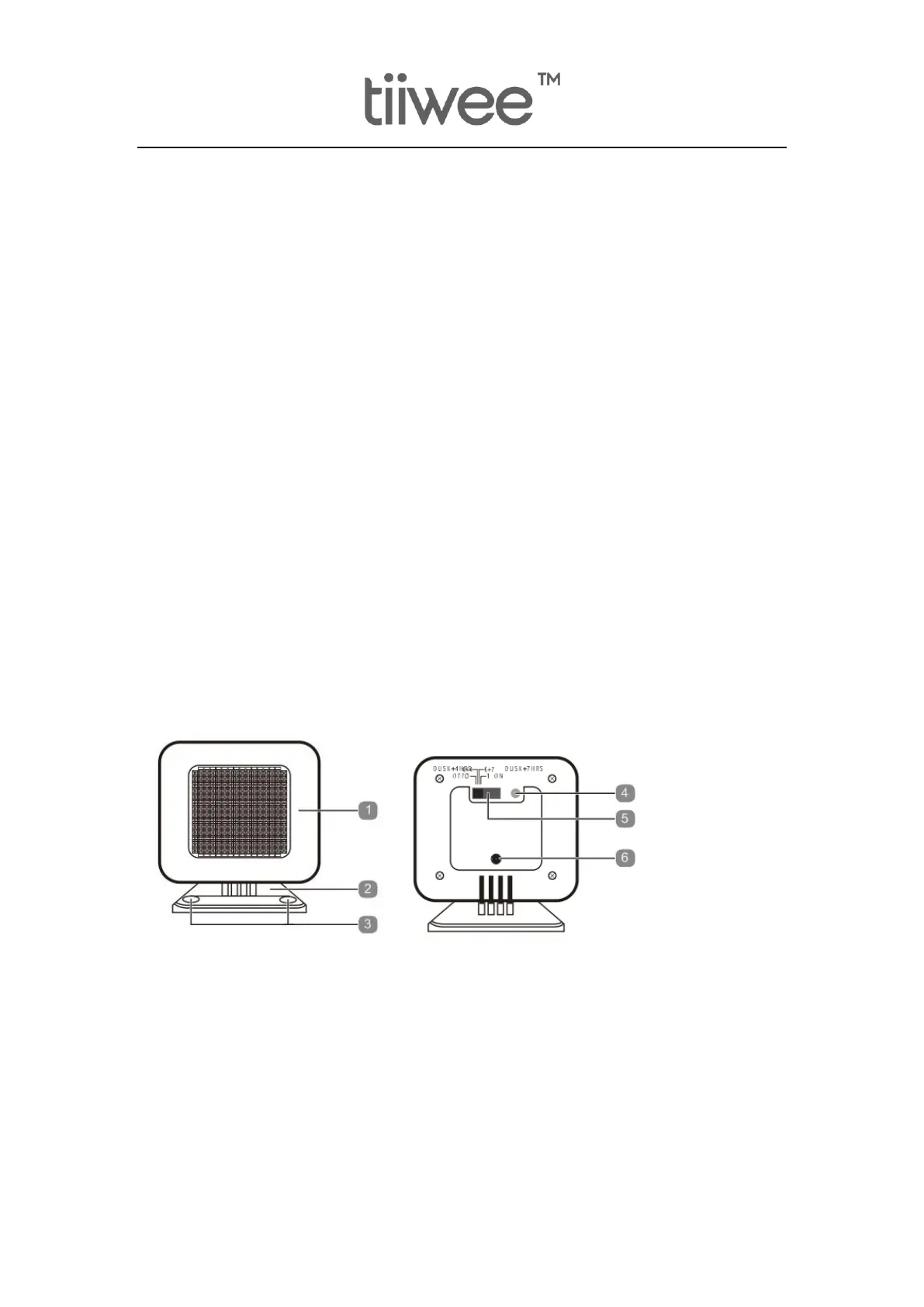
Device View
1) LED Panel
2) Floor stand
3) Wall mounting holes
4) Dusk sensor
5) Functional switch
6) Female connector
Installation
• The device can be mounted on a flat and smooth surface with adhesive tape.
• The location for the device should meet the following requirements:


 To Next Page
 Loading...