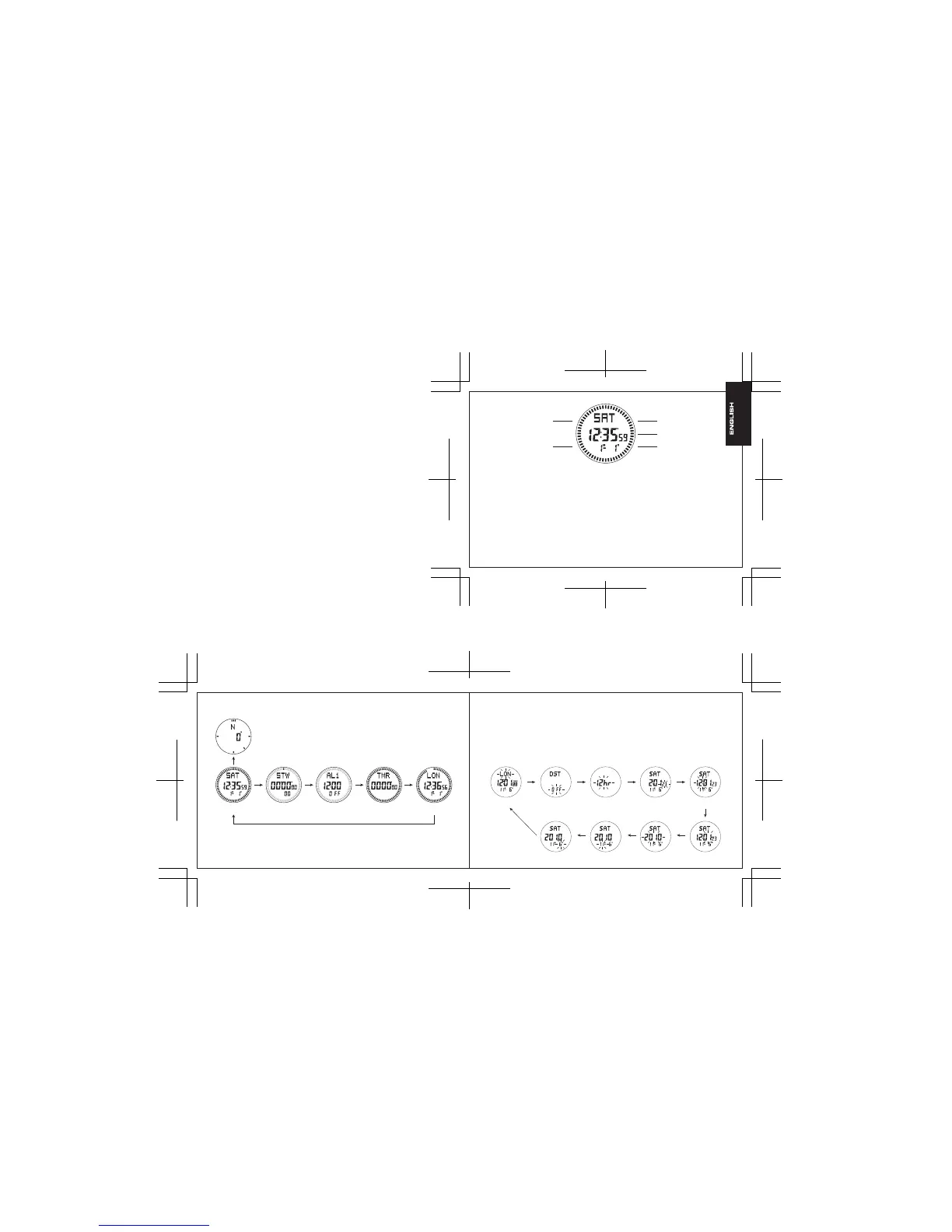
Size: 170 x 55mm
Color: Blk
Size: 85 x 55mm
Color: Blk
A. Features
- LCD screen displays hour, minute, second, year, month, date and week.
- Auto calendar: from year 2000 to year 2099.
- 3 daily alarms.
- Hourly time signal.
- Stopwatch: the maximum display range of stopwatch is 99 hours, 59 minutes, 59 seconds.
- Countdown timer: the maximum display range of countdown timer is 99:59:59.
- Electronic compass.
- 12-hour/24-hour format.
- World time, time for 48 cities.
- Daylight saving time.
- Button tone.
- EL backlight for 3 seconds.
SET/LIGHT (Button A)
MODE (Button B)
(Button E) UP
(Button D) COMP
(Button C) DOWN
2. Normal time mode
- Press A once, EL illuminates for 3 seconds. Hold down A for 2 seconds to enter setting mode.
- Press B to select operating mode.
- Press C to switch the format between “date---month” and “month---date”.
- Press D to enter compass measurement mode.
- Press E to switch the mode between “world time” and “normal time”.
3. To set time and date
- In normal time mode, hold down A for 2 seconds, “Time zone” starts to flash, which indicates setting
mode, then press B to select other setting items(flash) in sequence as below:
B. Product Functional Mode
1. In any mode, EL illuminates for 3 seconds by pressing (Button) A once.
Normal time mode Stopwatch mode Alarm mode Countdown timer mode World time mode
Button B
Button D
Button B Button B
Button B
Button B
Time zone DST 12H/24H format Second Hour
Button B
Button B Button B Button B
Button B
Button BButton B Button B Button B
Date Month Year Minute
Measurement mode for compass



 To Next Page