INSTALLATION
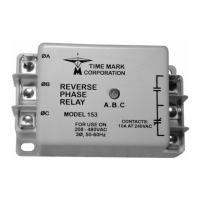
Connect 3-phase wiring to the terminals marked A, B and C.
Connect the control wires to the terminals with the relay
contact markings. The markings shown are in a TRIPPED
condition.
Apply power. If the indicator lights are ON, and the contacts
do not transfer when power is applied, check that all three
phases are present and of the correct voltage. If all phases
are correct, rotate the UNDER VOLTS adjustment fully
counter-clockwise, and the OVER VOLTS adjustment fully
clockwise.
If the contacts still do not transfer, remove power from the unit,
and reverse two of the three input wires. Re-apply power.
The contacts should then transfer (LED-off).
ADJUSTMENT
Turn the DELAY SECONDS trip delay adjustment counter-
clockwise.
Rotate the UNDER VOLTS adjustment slowly clockwise until
the contacts transfer to a tripped condition (LED-on).
Slowly turn the UNDER VOLTS adjustment back counter-
clockwise until the contacts reset to the normal condition
(LED-off).
Rotate the OVER VOLTS adjustment counter-clockwise until
the contacts trip (LED-on).
Slowly turn the OVER VOLTS adjustment back clockwise until
the contacts reset to the normal condition (LED-off).
These settings will be correct for most installations.
MODEL 269
Over & Under 3-Phase Monitor
READ ALL INSTRUCTIONS BEFORE INSTALLING, OPERATING OR SERVICING THIS DEVICE.
KEEP THIS DATA SHEET FOR FUTURE REFERENCE.
GENERAL SAFETY
POTENTIALLY HAZARDOUS VOLTAGES ARE PRESENT AT THE TERMINALS OF THE MODEL 269 .
ALL ELECTRICAL POWER SHOULD BE REMOVED WHEN CONNECTING OR DISCONNECTING WIRING.
THIS DEVICE SHOULD BE INSTALLED AND SERVICED BY QUALIFIED PERSONNEL.
Installation Instructions
Set the SECONDS delay adjustment to the desired amount of
trip delay. This delay will help prevent nuisance tripping.
Should nuisance tripping still occur, turn the OVER VOLTS,
and UNDER VOLTS adjustments slightly farther.
NOTE: In eliminating nuisance tripping, the voltage ad-
justments should be rotated in very small increments,
until the true nuisance trips no longer occur.
TROUBLESHOOTING
Should the Model 269 fail to operate properly, check that all
three voltages are present, and are of the correct level.
Check all fuses, and verify that all wiring connections are
correct. Should problems persist, contact your local Time
Mark Distributor, or the factory for further assistance.
WARRANTY
The Model 269 Over & Under 3-Phase Monitor is
covered by Time Mark Corporation’s exclusive 5-Year
Unconditional Warranty. Should this device fail, for
any reason, within five years from the date of purchase,
we will repair or replace it free. Contact the Time Mark
Sales department, Monday through Friday; 8 a.m. to 5
p.m., CST, for further details.
WARNING
THE MODEL 269 IS NOT TO BE USED IN
APPLICATIONS WHERE VOLTAGES TO BE
MONITORED OR SWITCHED WILL EXCEED
VOLTAGE SPECIFICATIONS FOR THE PARTICULAR
UNIT. SEE ‘ADJUST-MENT RANGE’ IN THE TABLE
ON THE REVERSE SIDE OF THIS DATA SHEET.
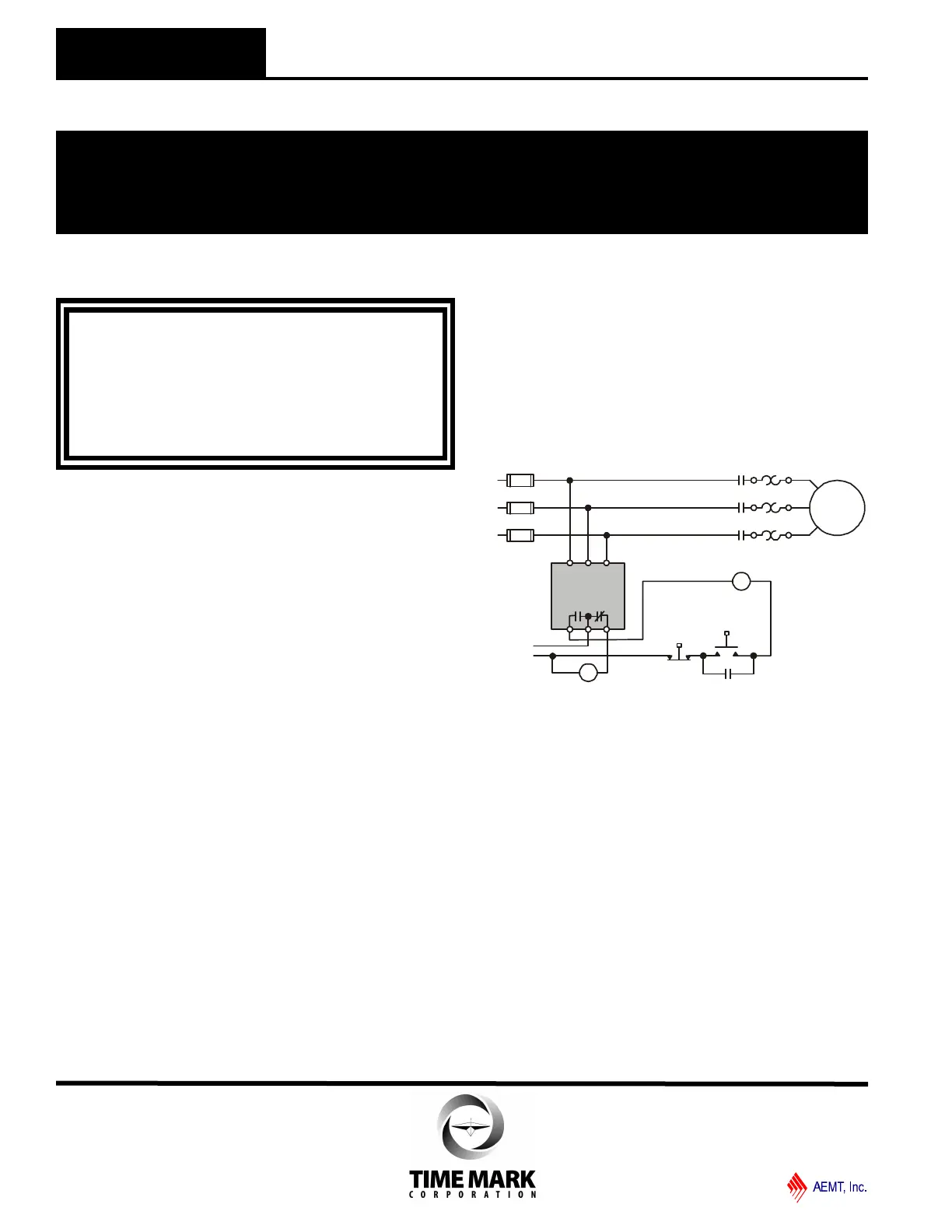
TYPICAL APPLICATION
Motor
A B C
M
Start
Stop
Optional Alarm Indicator
Control
Voltage
M
M
M
O/L's
Model 269
L1
L2
L3
TIME MARK is a division of
Telephone: Main - (918) 438-1220
Sales - (800) 862-2875
Fax: (918) 437-7584
E-mail: sales@time-mark.com
Internet: http://www.time-mark.com
Doc No. 87A141 12/00
© 2000 TIME MARK CORPORATION
11440 East Pine Street
Tulsa, Oklahoma 74116
Shows No Power Applied


 To Next Page
 Loading...