8
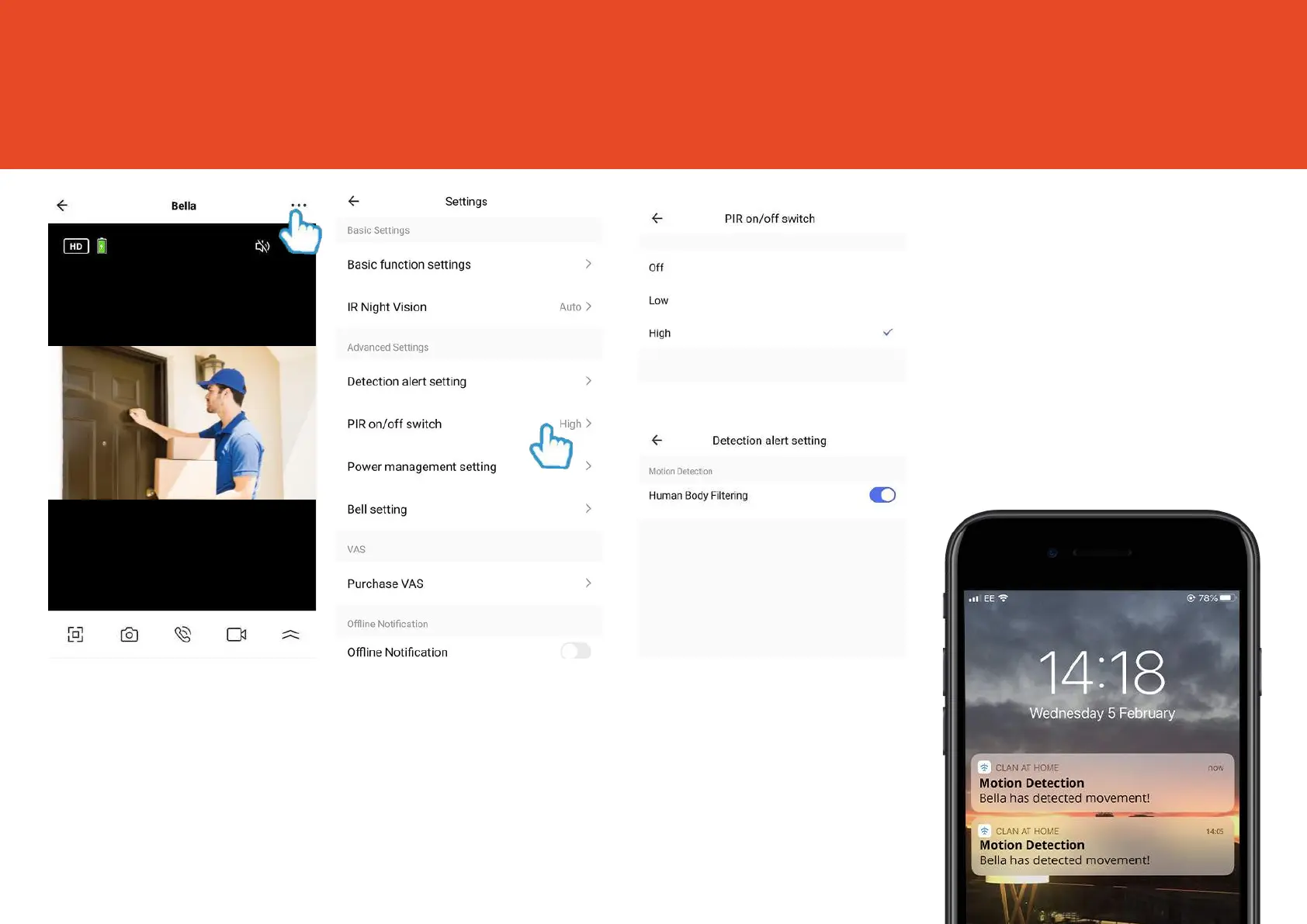
Motion Alerts
Step 1
Click the Settings icon
to bring up the doorbell
settings
Step 2
Select PIR
on/off switch
Step 3
Choose the sensitivity.
Selecting a sensitivity level
minimises false alerts.
For even more accurate
alerts, click Detection Alert
Setting to turn on Human
Body Filtering
When movement is
detected, Bella will send you
alerts straight to your
Smartphone or Tablet.
If your device is locked when
Bella detects something, you
will receive notifications on
your home screen as long as
you are signed in to the Clan
at Home app


 To Next Page